

How to record your voice in PowerPoint PowerPoint PPT Presentation
Title: How to record your voice in PowerPoint
1
How to record your voice in PowerPoint
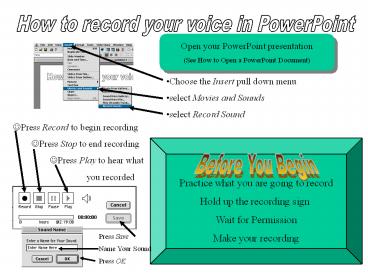
Open your PowerPoint presentation (See How to
Open a PowerPoint Document)
- Choose the Insert pull down menu
- select Movies and Sounds
- select Record Sound
- Press Record to begin recording
- Press Stop to end recording
- Press Play to hear what
- you recorded
Practice what you are going to record Hold up
the recording sign Wait for Permission Make your
recording
Before You Begin
Press Save
Name Your Sound
Press OK
Recommended

