

DTM colourisation tool PowerPoint PPT Presentation
Title: DTM colourisation tool
1
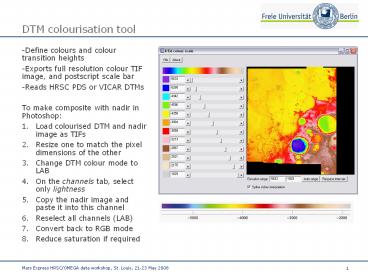
DTM colourisation tool
- Define colours and colour transition heights
- Exports full resolution colour TIF image, and
postscript scale bar - Reads HRSC PDS or VICAR DTMs
- To make composite with nadir in Photoshop
- Load colourised DTM and nadir image as TIFs
- Resize one to match the pixel dimensions of the
other - Change DTM colour mode to LAB
- On the channels tab, select only lightness
- Copy the nadir image and paste it into this
channel - Reselect all channels (LAB)
- Convert back to RGB mode
- Reduce saturation if required
Recommended

