

Using Flexible Technology to Meet the Needs of Diverse Learners PowerPoint PPT Presentation
1 / 98
Title: Using Flexible Technology to Meet the Needs of Diverse Learners
1
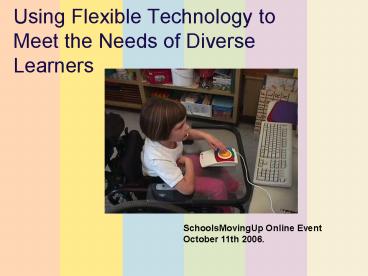
Using Flexible Technology to Meet the Needs of
Diverse Learners
SchoolsMovingUp Online Event October 11th 2006.
2
Who we are
- Julie Duffield, WestED
- Jduffie_at_wested.org
- Lisa Wahl
- l2wahl_at_pacbell.net
- Kathleen McClaskey
- khm_at_edtech-associates.com
3
House Keeping
- Quick Polling
- Type in a Response
- Type messages (Q A) into chat area
- Q A via Email - eventquestion_at_wested.org
4
Quick Poll Where are You?
- Are You
- In California
- In another State
5
Poll Who is on the webcast?
- SEA/LEA Staff
- School/ District Administrator
- Curriculum /Technology Coordinator
- Staff Developer
- Teacher General/Special Ed.
- TA Provider
- Parent
- Other
6
Poll Do you primarily work with?
- Teachers /or Students in K-3
- Teachers /or Students in K-6
- Teachers /or Students in Middle School
- Teachers /or Students in High School
- All of the Above
- Other
7
Quick Poll Have you used the Tech Tips or TDL
websites? www.wested.org
- Yes
- No
8
Quick Poll How comfortable are you with using
technology ?
- Very Comfortable
- Some what comfortable
- Not at all
9
Intended Outcomes
- Participants will understand how digital formats
support students access to the general curriculum - Participants will know where to access resources
to help them do this
10
Technologyfor Diverse Learners Design
Research Strategies
Available Technology
TDL
Differentiated Instruction
developed byWestEd, in partnership with the
Alliance for Technology Access, with support
from the NEC Foundation of America
11
Screen Shot TDL
http//www.wested.org/tdl
12
Technology for Diverse Learners
- Web site
- PowerPoint trainings
- Tip-sheets
- focused on using technologies most schools
already have and - for use in professional development of
technology-using general and special educators,
and staff. - Knowledge Brief
13
Lets Consider
- Most schools still rely on print text books
- NCLB and IDEA (1997) mandate increase to the
general curriculum for ALL students - Teachers have responsibility to individualize
instruction - Most students with diverse needs are in
mainstreamed classrooms
14
Differentiated Instruction
- Providing materials and tasks at varied levels of
difficulty with varying degrees of scaffolding,
through multiple instructional groups. - Encouraging student success by varying ways in
which students work alone or collaboratively, in
auditory or visual modes, or through practical or
creative means.
- (Tomlinson, 2000)
15
Differentiation Strategies
- Small groups working collaboratively
- Pre-teaching to activate prior knowledge
- Re-teaching
- More background
- Condensing material
- Reading materials at various levels
- Partner or round table reading
- Audio tape or other audible materials
16
A Simple Definition
- A differentiated classroom provides multiple
options for - Taking in information
- Making sense of information
- Expressing what students learn
CONTENT PROCESS PRODUCTS
17
However
- Few teachers have either the time or expertise to
adequately adapt the curriculum materials to meet
the diverse needs of their students. - (Ellis Sabornie, 1990 Moon, Callahan
Tomlinson, 1999) - And we are not making full use of what we already
have.
18
Research-based Strategies
- Identifying Similarities and Differences
- Summarizing and Notetaking
- Nonlinguistic Representations
- Cooperative Learning
- Questions, Cues, and Advance Organizers
- Homework and Practice
- Setting Objectives and Giving Feedback
19
Differentiated Instruction
- Technology is a great tool for differentiation,
which allows changes to - content
- channels of input
- means of output
- It is also an excellent platform for cooperative
learning.
20
Reflection
- How, if at all, are you or your teachers
currently using technology to differentiate
instruction?
21
Today
- Digital Text
- Audio Channels Talking Text
- Software Word Features
- Digital Enhancements to Text
- Curricular Supports
22
Quick Poll Which of these areas are of most
interest to you?
- Digital Text
- Audio Channels Talking Text
- Software Word Features
- Digital Enhancements to Text
- Curricular Supports
23
Digital Text
http//www.wested.org/cs/tdl/view/tdl_topic/4
24
What is Digital text?
- Text stored as strings of characters.
- If you can select and change the font of text on
the computer screen, its digital text - Transferable
- Transformable
- Increasingly Available
25
Digital Text is Transferable
- Copy or cut-and-paste it from one computer
application to another - World Wide Web to text editor
- Text editor to e-mail
- Visual map to presentation software
- Once text is available in digital format, it is
flexible, accessible, and usable for all
learners
26
Digital Text is Transformable
- Customize it for individual needs and preferences
- Size
- Spacing
- Font
- Style
27
Free Digital Text
- The flexibility of digital or electronic text
makes it a great option for customizing text to
the needs of different learners. - Digital text can be
- Searched,
- Rearranged
- Read aloud by a computer
- Customized for individual learners
28
Free Digital Text
- The Tell-Tale Heart
- Heidi
- Oliver Twist
- Tom Sawyer
- Little Women
- Kidnapped
- The Silver Balloon
- Dragonwings
- Mary Poppins
- Dickens
- Robert Frost
- Mark Twain
- Edgar Allan Poe
- Rosa Parks
- Star Spangled Banner
- Bill of Rights
- The Jungle
- First Across the Continent
29
How-to find Digital Text
- Free Books Online (2 of 90 digital library
collections) - Project Gutenberg
- http//promo.net/pg/
- University of Virginia's e-Book Library
http//etext.lib.virginia.edu/ebooks/ebooklist.htm
l
30
Sample of digital text
- The Project Gutenberg Ebook of Tom Sawyer
- CHAPTER I. TOM SEEKS NEW ADVENTURES
- DO you reckon Tom Sawyer was satisfied after all
them adventures? I mean - the adventures we had down the river, and the
time we set the darky Jim - free and Tom got shot in the leg. No, he wasn't.
It only just p'isoned - him for more. That was all the effect it had. You
see, when we three came - back up the river in glory, as you may say, from
that long travel, and - the village received us with a torchlight
procession and speeches, and - everybody hurrah'd and shouted, it made us
heroes, and that was what Tom - Sawyer had always been hankering to be.
- For a while he WAS satisfied. Everybody made much
of him, and he tilted - up his nose and stepped around the town as though
he owned it. Some - called him Tom Sawyer the Traveler, and that just
swelled him up fit to - bust. You see he laid over me and Jim
considerable, because we only went - down the river on a raft and came back by the
steamboat, but Tom went by - the steamboat both ways. The boys envied me and
Jim a good deal, but - land! they just knuckled to the dirt before TOM.
31
Guides to Digital Text Sources for Educators
- Extensive List of e-book and e-text sites
- http//www.edtech-associates.com/ebooks-etex
ts-and-readers.htm - Annotated list in handout form
http//www.wested.org/cs/tdl/view/lib/2527
32
Poll In what ways are you currently using
digital text?
Enlargement of text Change of font or
color Change spacing Add background or
questions Condense content or highlight key
information Screen reader or text to speech
(talking word processor) Allow student
interactivity
33
Audio Channels
http//www.wested.org/cs/tdl/view/tdl_topic/3
- Talking Text (Text to Speech)
- Text to MP3
v Supporting Reading/Fluency v Supporting
access to dense text or high interest materials
in classrooms with a range of reading abilities
v Writing proofing
34
Poll How familiar are you with text to speech
supports?
- Very
- Some what
- Not at all
35
What is Talking Text?
- Words on the screen are read aloud by the
computer on command. - In some cases, the words need to be highlighted
first. - Allows reading of individual words or phrases.
- Works with word processors, websites, and more.
- Often called text-to-speech.
36
Who does Talking Text help?
- Students who struggle with comprehension may
benefit from - pre-reading to increase comprehension
- reading to access standard or advanced materials
- reading and listening together (reinforcement)
- reading selected words or phrase
- Talking Text also helps writers to hear omissions
or inaccuracies in their work.
37
What does research say about Talking Text?
- Developing reading comprehension is a complex
skill. - If a great deal of effort goes to sounding out
words, energy for comprehension is reduced.
- Talking text can provide one more tool for
supporting comprehension for some students. - (Rose Dalton, 2002)
38
What does practice show about Talking Text?
- Poor readers can have access to the same content
by having it read to them. - Many students improve editing and proofreading if
they can hear their work. - Hearing ones own words is rewarding and
motivating. - Hint Hearing multiple computers with Talking
Text is disturbing you WILL need headphones.
39
Software That Talks
- KidPix Deluxe
- Kidspiration/Inspiration
- Storybook Weaver
- Natural Reader
- Macintosh OSX
- AppleWorks
- Microsoft Reader and many more!
40
What else talks?
- Free utilities shareware, such as Microsoft
Reader, ReadPlease, and TexEdit Plus - Operating Systems (Mac OSX Windows XP)
Find more information /tdl - Audio - Talking
Text
41
For ExamplePC ReadPlease
- Free text-to-speech tool
- Copy and paste any text
- Adjust reading speed,font size and voices
- Extra ATT voices
Find more information /tdl - Audio - Talking
Text
42
What else talks?
- Websites
- Free talking web browsers
- BrowseAloud (add-in for Internet Explorer)
- WeMedia Talking Browser
- pwWebSpeak
Find more information /tdl - Audio - Talking
Text
43
Classroom Examples
- Providing access to literature, background
information and content for struggling readers
and all students. - CAST - Life Cycle Video (Digital books with
text-to-speech to support fluency - Earphone English at Berkeley High In California
(ELL, background knowledge)
44
Kathleens Examples
Kathleens Class Example
- High School English teacher
- Download Shakespeare Macbeth
- Burn a CD with the text by Act
- Download ReadPlease 2003 at home
- Result Independent access to literature for
the first time
45
Reflection
- What resources do you have, or could easily
acquire, at your school to promote the use of
Talking Text?
46
Adapting or Enhancing Digital Text
- Adding information, questions, hyperlinks, or
graphics to enhance comprehension - Works with printed or electronic text, as well as
audio versions
47
Poll Do you currently use online curriculum
supports?
- Online Text Books
- Fee Based Services (e.g. United Streaming,
NetTrekker, Sparks Notes) - Enhanced Web sites (e.g. Starfall)
- Other
48
Digital Enhanced Text
- Allows customizing access learning supports in
content - Pre-reading background, definitions
- Summary
- Key questions
- Allows students to copy/paste, or otherwise
manipulate the text, to indicate comprehension - Allows built in features (note taking,
dictionaries,bookmarks etc )
49
Who is helped by Enhanced Text?
- Students with who have difficulty with
comprehension or with organizing information. - English-learners who struggle with vocabulary.
- Students who come from diverse cultures and may
need more context.
50
Research on Enhanced Text
- Techniques that have been shown to increase
comprehension include - embedded questions that allow self-monitoring for
understanding, - use of graphic and semantic organizers,
- prompts for students to generate questions about
the text, - awareness of story structure, and
- periodically summarizing key points.
- (National Reading Panel, 2000)
51
Enhanced Text is Motivating
- The Center for Applied Special Technology (CAST)
found that students who read novels in a digital
format with decoding supports are more motivated
to read because they can access the content at an
age-appropriate level that is just challenging
enough. - (O'Neill Dalton, 2002)
52
Examples of Enhanced Text
53
Digital LibraryIntersect Project
http//intersect.uoregon.edu/
54
Enhanced E-Textbookssubscription services
- Prentice Hall Interactive Textbooks
http//www.phschool.com/successnet/preview_it.html
- The same trusted content as the printed textbook
with interactive activities, videos, audio, and
self-assessments to engage all learners. - Holt Online http//www.hrw.com/liveink/demo.htm
- Includes printed version, interactive tutors,
classroom management tools, tests, journals,
audio files, video files, and additional
activities that engage students in the subject
matter. - McDougal Littell Home Classzone
- http//www.classzone.com/
55
Prentice Hall Literature Text On line
- Literature analysis
- Reading strategies
- Author Biographies
- Additional questions
- Video clips
- Self-tests
- Links to external websites
- Internet activities and research
http//www.phschool.com/iText/literature/
56
Starfall.com K-3 learn to readfree service,
inexpensive books for purchase
57
StudyDog.com (pre K-2 Early Reading software -
online and CD)
Free to low-income families also subscription
options
http//www.studydog.com/
58
Spark Notes (free and subscription options)
http//www.sparknotes.com/
Summary, Study Questions, Quizzes
59
Windows to the UniverseSpanish/English,
Beginning/Intermediate/Advanced
http//www.windows.ucar.edu/
60
Virtual Math Manipulatives
http//nlvm.usu.edu/en/nav/vlibrary.html
61
Other Online Widgets
- Desktop dictionaries and thesaurus
- Word Web (no cost) http//wordweb.info/free
/ - 140 000 root words115 000 synonym sets
62
Web-Based subscription tools
- United Streaming - builds vocabulary,
comprehension and background knowledge - NetTrekker - gives readability and state
standards content matches of selected websites - KidBiz/TeenBiz - customizes reading materials to
each students reading level - MyAccess - scores student writing and provides
immediate feedback (English, Spanish and Chinese)
63
Software
- What can Microsoft Word (and other popular word
processors) do that supports differentiated
instructional strategies?
www.wested.org/tdl - Software - MS Word
64
Word Features to support reading writing
- Allows teacher to enhance text
- change how the text looks (visual displays)
- check readability
- computer-generated summaries
- additional information and supports, i.e.
graphics and comments
65
Word Features
- Adjust text appearance
- Allows user preference for font type, size, and
color. - Create hyperlinks
- Allows teacher to link to websites, other
documents or content within a document. - Highlight text
- Built-in colored highlighters enable students to
demonstrate understanding or to mark unknown
words.
66
Word Features
- Highlight text
- Built-in colored highlighters enable students to
demonstrate understanding or to mark unknown
words. - Highlighting is a low tech strategy that can also
be done electronically - Students and/or teachers highlight specific
words, letters, or parts of speech
/tdl - Software - MSWord - Electronic
Highlighting
67
Word Formatting Different views to support
readers Highlight tools, Background, Font color,
Spacing, Zoom
68
MS Word- AutoSummarize
69
Putting It TogetherQuick Demo
- Text from the web
- Readability
- Auto summary
- Comments
70
- Putting it all together Open Court
71
Readability
By the time the Gold Rush began, hundreds of
people like Vicente Peralta had already
established successful businesses in California.
Peralta owned Rancho San Antonio, some 19,000
acres of land on the coast of northern
California. He prospered in the cattle
trade. Vicente Peralta and his family were part
of a group of people known as Californios--Spanis
h-speaking people who had come from Mexico or
Spain to settle in California. Californios had
lived on Calif-
72
Auto Summarize
73
Auto Summarize- Different view/ chunking of
information
74
Larger Double-Spaced
By the time the Gold Rush began, hundreds of
people like Vicente Peralta had already
established successful businesses in
California. Peralta owned Rancho San Antonio,
some 19,000 acres of land on the coast of
northern California. He prospered in the cattle
trade.
75
Auditory Preview
By the time the Gold Rush began, hundreds of
people like Vicente Peralta had already
established successful businesses in
California. Peralta owned Rancho San Antonio,
some 19,000 acres of land on the coast of
northern California. He prospered in the cattle
trade.
76
Add Comments - Use Highlighting Added to support
comprehension
77
Word Features For students who can read but need
assistance with some words Thesaurus Dictionary
/tdl - Software - MSWord - Thesaurus
Dictionary
78
Using Word for Reading/Writing Assistance
- Make Accessible Interactive Worksheets (outlines,
note taking, concept maps) - Tiered Actvities for different learners
- Pair Graphics with pictures
- Add Links to audio/visual information to build
background knowledge
79
Word Features - Note-taking Strategies
80
Word Features- Note Taking Strategies
81
Kathleen's Tip
- Important to have a note taking system with the
color highlighters
Highlighting Suggestions Yellow Topic (bold)
Green Main idea Turquoise Supporting detail
Magenta New Vocabulary
82
Kathleens Tips
- Word Features Audio Notes (Sound Object) to DI
and offer audio notes as an alternative to
writing
83
Reflection
- Which of these Word features are you most
interested in sharing with your staff?
84
Reflection
- What is the first tip you would want your staff
to learn about why?
85
Bring it Home
Bringing it back home
86
Where do Schools Begin to improve the outcomes
for all learners with these accessible tools?
Kathleens Reflection
87
Kathleens Next Steps, Tips
- Develop a professional development plan around
research-based models and methods that
effectively use technology and online tools - Build the skill set for all teachers to teach to
the diverse learners in their classroom - Provide consistent professional development and
to support teachers in new instructional practices
88
Next Steps
- Invest in tools that have universal designed
features, such as - Text to speech
- Flexibility
- Support for varied learning styles
- Varied and appropriate support for the user
- Examples State of Maryland,
- Online text from Prentice Hall, Holt, Glencoe
Science and others.
89
Leverage the features of common desktop
technology tools MS Office, Inspiration, and
Kidspiration to support learning and literacy
skills. Install a reader (ReadPlease) and
desktop dictionary thesaurus (WordWeb) on each
computer to support all learners.
Kathleens Tip
90
Next Steps
- Integrate technology into teaching learning
with - research based strategies
- existing initiatives like differentiation
- new initiatives RtI (Response to
Intervention), - UDL (Universal Design for Learning)
91
Response to Intervention
Tier 1 Universal Interventions - Whole Class
Tier 2 Targeted Group Interventions
Tier 3 Intensive, Individual Interventions
92
What questions or concerns do you have about
making this happen?
Reflection
93
WestED TDL Web Sitewww.wested.org/tdl
- Online Events Updates
94
CITEds Center for Implementing Technology In
Education www.cited.org
- In September 2006
- Centers for TA
- Learn - directory of AT resources
- Action- for planning
- Research - linking research practice
95
Helping Schools and Students Become Successful
with Technology
- Presentations, Workshops and Institutes designed
to help teachers create Plans for Learning
Diversity and empower learners with accessible
tools to support their learning. - Tools for Learning
- Tools for Literacy Removing Barriers,
Empowering Learners,
Achieving Results - Science Tools for Learning
- Math Tools for Learning
- Customized for Grades K-5 or Grades 6-12
- http//www.edtech-associates.com/
96
Next Steps
- Go to the SchoolsMovingUp Web Site
- http//www.schoolsmovingup.net
- Using Technology for Diverse Learners
- http//www.wested.org/TDL
97
Your Feedback
- Online Survey
- http//www.addaform.com/c/_at_0/Forms/5156YEsr/5156YE
sr.html
98
Thank You
Lisa and Kathleen
Recommended

