

Shift: A Technique for Operating Pen-Based Interfaces Using Touch PowerPoint PPT Presentation
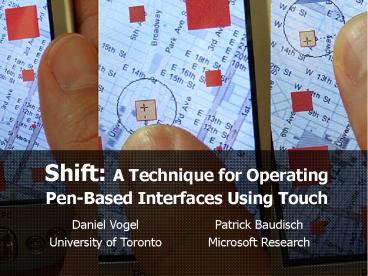
Title: Shift: A Technique for Operating Pen-Based Interfaces Using Touch
1
Shift A Technique for Operating Pen-Based
Interfaces Using Touch
- Daniel Vogel
- University of Toronto
Patrick Baudisch Microsoft Research
2
Motivation
3
Motivation
4
Motivation
5
Small Targets
6
Small Targets
7
Advantages of the Pen
Pen
Finger
unique contact point
ambiguous contact point
finger occludes target
remove hand from screen
8
Possible Solutions
9
Offset Cursor (Potter et al. 1988)
Pen
Offset Cursor
10
Offset Cursor (Potter et al. 1988)
11
Offset Cursor (Potter et al. 1988)
- Disadvantages
- no visual feedback until contact, need to
estimate offset - makes some display areas inaccessible
- unexpected offset affects walk-up-and-use
scenarios
12
Shift
13
Benefit 1 Aim for the Target
- Users expect to click on the target itself.
- ? allows switching between pen and touch
- ? walk-up and use with kiosk
14
Benefit 1 Aim for the Target
- Users expect to click on the target itself.
- ? allows switching between pen and touch
- ? walk-up and use with kiosk
15
Benefit 2 All Areas Accessible
- Callout is relative to finger, so it can go
anywhere. - ? no edge problems
16
Benefit 2 All Areas Accessible
- Callout is relative to finger, so it can go
anywhere. - ? no edge problems
17
Benefit 3 Fast For Large Targets
Callout only used when necessary ? same speed as
unaided touch screen for large targets
18
Design Iterations
19
Model
Performance Model
20
First Prototype
21
Revision and Visuals
22
Escalation
- Based on selection ambiguity with fallback to
hesitation. - ST Target Size, SF Finger occlusion threshold
- ST ltlt SF ? high selection ambiguity ? no delay
- ST gtgt SF ? no selection ambiguity ? long delay
- ST SF ? ambiguous selection ambiguity ?
short delay
23
Escalation
- Based on selection ambiguity with fallback to
hesitation. - ST Target Size, SF Finger occlusion threshold
- ST ltlt SF ? high selection ambiguity ? no delay
- ST gtgt SF ? no selection ambiguity ? long delay
- ST SF ? ambiguous selection ambiguity ?
short delay
24
Perceived Input Point Correction
- Users expect selection point to be higher.
users view
hardwares view
- Iterative estimate for a correction vector V
using difference between initial contact point P1
and final lift off point P2 - Vt1 Vt w(P2 - P1)
25
Experiment
26
Experiment
27
Experimental Design
- 3 techniques (Shift, Touch, Offset Cursor) x
- 2 finger styles (nail, tip) x
- 3 blocks x
- 6 target sizes (6, 12, 18, 24, 48, 96px) x
- 4 target directions (NW, NE, SW, SE)
28
Error
29
Time
30
Time
31
Corrective Movements
32
Corrective Movements
33
Discussion
- Able to select small targets reliably (like
Offset Cursor) - Fast for large targets (like unaided Touch
Screen) - However, biggest benefit may be simpler mental
model - ? Just aim for the target
34
High Accuracy Enhancements
- Added Zooming and CD-Ratio Manipulation
35
High Accuracy Enhancements
- Added Zooming and CD-Ratio Manipulation
36
Thanks to members of the ASI and VIBE groups at
MSR, special thanks to Raman Sarin, Ed Cutrell,
and David Thiel.
37
Appendix
38
Estimating Occlusion Threshold
- Dont know actual finger size, so estimate it
over time - when ST SF ? short delay means user can
choose to use escalation by hesitating or not - if they hesitate and use escalation ? make SF
larger - if they just click without escalation ? make SF
smaller
39
Prototypes
Recommended

