

Enlarging The Stream Image PowerPoint PPT Presentation
Title: Enlarging The Stream Image
1
Enlarging The Stream Image
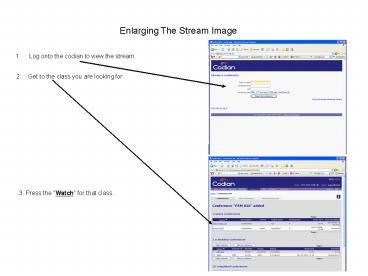
- Log onto the codian to view the stream.
2. Get to the class you are looking for.
3. Press the Watch for that class.
2
Enlarging The Stream Image
4. Click on the Show advance streaming
options
3
Enlarging The Stream Image
5. Go to the Video size window and pull down to
the desired size
6. Go to the View content channel box and
uncheck it.
7. Then click the Start streaming box
Please note You should only have to do this
once. It should be set up that way when you
connect for the rest of the classes. (If you
clear your history and temporary internet files
you will have to repeat the procedure.)
Recommended

