

Sketch Vs. Photoshop ➽ Which Design Tool Must Be Utilized? PowerPoint PPT Presentation
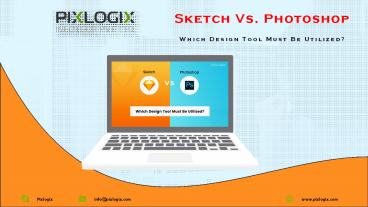
Title: Sketch Vs. Photoshop ➽ Which Design Tool Must Be Utilized?
1
Sketch Vs. Photoshop Which Design Tool Must Be
Utilized?
2
The debate about using Sketch vs. Photoshop keeps
on getting in a loop without any constructive
point favoring any of them. We cannot deny the
fact that till date Photoshop is the much-loved
designing tool for creating mock-ups for both
mobile as well as web designs. Photoshop was
initially meant just for photographers to edit
their captured images, however, the compelling
and advanced features have empowered web
designers to come up with striking website
functionalities. Let us understand in this blog
post what exactly is it that makes Sketch to HTML
Services give competition to the most loved
designing Photoshop software. Photoshop
Designers Saviour Photoshop has been favoured by
designers for years. In fact, people who do not
have technical knowledge and clients of web
designers are aware that PSD to HTML conversion
is easy and can be manipulated in Photoshop.
3
Here are a few spectacular features of Adobe
Photoshop
? Libraries Photoshop allows syncing the assets
to a Creative Cloud which can be reused in other
Adobe software, files, and future projects. ?
Smart Objects Smart objects can also be used
again in several situations, e.g. in a single
file or multiple other files. ? Extract Assets
Photoshop allows users to easily extract
designing elements such as images, objects for
both web and mobile for integrating functional
features. ? Layer Comps The Layer Comps enable
the designers to make variations of a design by
altering the attributes, positions, as well as
the visibility of the elements and eliminates
creating multiple files. Though, Photoshop is
blessed with so many features designers till feel
the absence of some functions that are not
available in Photoshop. Hence to accommodate this
requirement they search for software that fits
their requirement. As a life savior, there are
various plugins available online that helps the
designer to fulfill their designing needs.
Pixlogix being a leading web development company
convert PSD to HTML and enables most excellent
PSD to HTML conversion services.
4
What is Sketch?
A sketch is a rapidly executed freehand drawing
that is not usually intended as a finished work.
A sketch may serve a number of purposes it might
record something that the artist sees, it might
record or develop an idea for later use or it
might be used as a quick way of graphically
demonstrating an image, idea or principle.
Sketches can be made in any drawing medium. The
term is most often applied to graphic work
executed in a dry medium such as silverpoint,
graphite, pencil, charcoal or pastel. It may also
apply to drawings executed in pen and ink,
digital input such as a digital pen, ballpoint
pen, marker pen, water colour and oil paint. The
latter two are generally referred to as "water
colour sketches" and "oil sketches". A sculptor
might model three-dimensional sketches in clay,
plasticine or wax. Source Link.
5
The Advent of Sketch
Photoshops capabilities are being challenged
after over two decades with the advent of Sketch.
Off late Sketch has become a favorite topic of
discussion in the designers clan and those who
are involved in the web and UI design community.
? Simple Interface The clean and
straightforward interface of Sketch makes
organizing documents as well as revising them
comfortable and convenient. Moreover, the app
comes with tools that can be modified Sketch to
HTML conversion simple, and nonetheless, the
tools can be tweaked using CSS3 and HTML. ?
Artboards Sketch allows making multiple
artboards a lot smoother easy and simple. Merely
using the shortcut key, i.e. A, your artboard is
just there. You will be guided with the most
common screen icon sizes which are helpful to the
designers when creating a responsive website
design. ? Creating Moodboards Creating
Moodboards on Sketch is all the more accessible
and a simple process. You can save all your
documents in a simple file hence no searching
back and forth. The page drawer on the artboard
screen and the sidebar allows easy scrolling
between the files. This makes it easy for the
designers to switch between a mood board and
mock-ups when they make the changes. ? Sketch
Toolbox It is recommended that you install
Sketch toolbox first as it is a plugin that
allows managing things which is helpful in
directly installing the tool you require. ?
Vector Based As all the website is turning into
being responsive the key is to use the
vector-based designing tool. While designing the
layout designers consider need to keep in mind
various aspects e.g. high definition to normal
definition, narrow to widescreen and many more.
Sketch makes rescaling an effortless task
considering it to be a meticulous process. With
the help of Sketch, you can freely rescale
objects. The time and energy save with this
feature alone are incomparable. ? Sketch Mirror
This plugin allows you to easily open documents
and see how the documents will look in iPad and
iPhone. You can also preview the changes
6
Sketch vs Photoshop - What is best for you!
Features Sketch Photoshop
Rendering Allows the one which is similar or closer to web Not the same as Sketch
Shortcuts It lacks providing shortcuts Has a lot of shortcuts
Library No Library One Library
Grids In-built grids Make your own grids
Color Management Contrast Excellent
Application Faster Slow
Symbols and Objects Symbols in Sketch come in the same size Objects in Photoshop come in various sizes
Artboard Multiple artboards Single Artboard
Zoom Views One Zoom Level Multiple Zooming Levels
Tweaking Simple and easy Tedious and time-consuming
Photo editing capability Average Excellent
Usability Exclusively for Mac Both Mac and PC users
Sketch Vs. Photoshop ? Which Design Tool Must Be
Utilized?
7
Key Takeaways
The above comparison details and the table
clearly state that Sketch has the upper hand with
more advantages. Does this really mean that you
should switch to Sketch and ditch Photoshop?
Well, thats a tricky decision to make. We cant
deny the fact that many designers have already
made the big switch and one of the reasons is the
cost factor. However, even there are many
companies who are not ready to get over the
comfort of using a Photoshop tool and its
functionalities. As it will take a tremendous
amount of time and energy for the designers to
understand the workability of the app until they
are confident and comfortable using it. At
Pixlogix we offer the finest and precise Sketch
to HTML Conversion Service. Our experienced and
proficient developers put forward their top
efforts to enable complete fitting sketch to HTML
conversion service to our customers. We are
recognized to build swift loading website pages
that flawlessly run on wide-ranging browsers for
Sketch to HTML services in India. Our designers,
as well as developers, are specialists to build
and convert Sketch to HTML solutions.
8
Award Winning Digital Web Agency
facebook.com/pixlogix
Social Profiles
pinterest.com/pixlogix
twitter.com/pixlogix
plus.google.com/pixlogix
9
- THANKS
- FOR WATCHING US
Source Link
Recommended

