

A Guide to Buying Card Printers and Related POS Hardware PowerPoint PPT Presentation
Title: A Guide to Buying Card Printers and Related POS Hardware
1
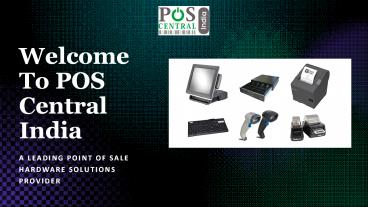
Welcome To POS Central India
- A Leading Point of Sale Hardware Solutions
Provider
2
A Guide to Buying Card Printers Related POS
Hardware
- By POS Central India
3
Types of POS Hardware
- A modern POS system is an amalgamation of
software and hardware that does more than
performing the transaction. From scanning the
product to managing the inventory, a large
variety of POS hardware is essential for any
POS. - Here are some types of POS hardware that you can
install - Cash Drawer Helps to store all your precious
belongings including cheque, coins, cash, and
receipt. - Receipt Printer Mainly used in the retail
business for tracking the transaction. - Barcode Scanner Allow you to read the codes
label on the product and helps to share the data
to the respective POS terminal. - Card Printers A lot of businesses need
monochrome or colour card printers to print on
both sides of the card. Many businesses provide
membership cards for extra benefits. This is
where these ID card printers are used. - Here let us talk in detail about Card Printers
which are important equipment.
4
Benefits of Using Business Card Printer
- For a small business, the budget is always an
important issue. However, business cards are
probably the cheapest method available. With a
few dollars, and even cheaper if you buy in vast
quantities, you get a marketing tool that helps
to drive customers. - Here are few advantages of using business card
printers - Printers that are designed for business purposes
are heavy duty printers. - It can perform several jobs for a constant period
of time at a much higher speed. - It may consume more power than average house
printers - Business card printers are suitable for
commercial use and consume around 100 watts.
5
Types of Card Printers for Sale
- Near to Edge These printers can print up to 5 mm
from the edge of the card stock. - Direct to Card Also, commonly known as "Edge to
Edge Printing". The print-head makes direct
contact with the card. This type of card printer
is most popular nowadays, mainly due to its cost
factor. Most card printers that are present today
are of this type. - Reverse Transfer Printers Reverse transfer
printers commonly referred to as re-transfer
printers help to produce and generate
high-quality images and plastic ID cards and
badges as well, using reverse transfer printing
technology.
6
POS Card Printers How to Choose Working
- The card printer prints ID cards for customers at
the point where the transaction occurs. The key
lies in understanding how it works, and how it
connects with the point-of-sale terminals. - Process and Working The card printer has a
ribbon that transfers the colors and text to the
card due to the running of a heater printhead
over it. With a variety of ribbons and unique
printing technology, different card designs can
be made. - Some Guidelines For Choosing Card Printers
- The card printer should provide accurate and fast
results. For instance, one of the fasted printers
runs at 60 RPM. - It should support wireless printing.
- Choose printers that consume less power and print
faster.
7
Different Connectivity Options for Card Printers
- A network printer enables employees who are
working from home to print. It is a great device
for people who need to print from remote areas.
If you want to buy card printer online in India,
you should consider the following connectivity
options. - USB Connectivity All modern card printers should
support USB connectivity. You can easily connect
the printer with a computer. - Wi-Fi Having Wi-Fi connectivity is like a
cherry on the top since it promotes wireless
printing. - Bluetooth With Bluetooth connectivity, you can
also get a wireless printing setup. A businessman
can be able to connect their smartphone phone
with the printer.
8
Examples of Card Printers From POS Central India
- Evolis Primacy Duplex Expert Card Printer
- Features-
- Direct-to-card dye-sublimation/Resin thermal
transfer - Single-sided printing, edge-to-edge
- Standard 300 x 300 dpi resolution
- Customizable 300 x 600 dpi resolution or 300 x
1200 dpi resolution - Dual-sided Card Lamination Module (CLM) as an
option1 - 32 MB memory (RAM) standard - optional 64 MB1
- Evolis Tattoo Rewrite Card Printer
- Features-
- Direct thermal printing and erasing on rewritable
material - Maximum print area 48 mm x 76 mm (1.89 x
2.99) - 16 MB RAM, 300 dpi print head
- USB (1.0, 1.1, 2.0, 3.0), Ethernet Interface
- 1-Button and 4-LED control panel
9
Examples of Card Printers From POS Central India
- Badgy 200 ID Card Printer
- Features-
- Single-side print module
- Color sublimation, monochrome thermal transfer
- Printing resolution 260 x 300 dpi
- 16 MB of memory (RAM)
- Printable area edge-to-edge
- Zenius Compact and Agile Card Printer
- Features-
- Direct-to-card dye-sublimation/Resin thermal
transfer - Single-sided printing, edge-to-edge
- 300 dpi print head (11.8 dots/mm)
- 16 MB memory (RAM), 32 MB for the Expert version
- Colors available fire red grey brown
- USB (1.0, 1.1, 2.0, 3.0), Ethernet
10
For more information Visit us Address A-64
(1st 2nd Floor), Sector-63, Noida, U.P.-
201301 Website https//www.poscentral.in/ E
-Mail ID sales_at_poscentral.in For any query
call us _at_ 8929741816 Our Toll-Free Number
18004195553
Recommended

