

Safety Online PowerPoint PPT Presentation
1 / 11
Title: Safety Online
1
Safety Online
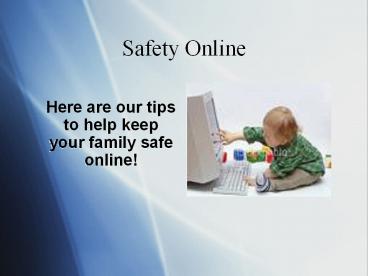
- Here are our tips to help keep your family
safe online!
2
Step one Keep personal information personal!
- Dont give out address or phone number or credit
card account numbers etc. Remind kids that
sharing info about other people can harm them.
Remind them that sharing info like school name
sports teams or hobbys or any info like that can
be used to identify them offline.
3
Step two Dont talk to strangers!
- Remind them that they should be careful about who
they add to friends list and that people are not
always who they say they are.
4
Step three Cyber strangers vs. Physical
strangers.
- Online friends should not be met offline. Explain
that strangers in the online world pose a threat
to them as much as strangers in the physical
world.
5
Step four Supervise the computer!
- Keep the computer in an open area and be aware of
other computers and other devices children may be
using outside the home. Placing the computer in a
family room or kitchen is an ideal location.
6
Step five Cyber control!
- Parents should consider installing software that
allows parents to control where children go
online. These programs give the parents a better
understanding of what the child is doing online
and how to set boundaries
7
Step six Think like a child!
- Search blog sites to see what information they
are posting. To ensure children are not engaging
in risky online behaviour, parents can do an
online search to determine information
availability of the child and act to remove
threats if present.
8
Step seven Pay attention to online photos!
- Know the type of photos your child is posting
online. Children use various forms of technology
to post information and photos online, such as
videos and web cams. Photos from camera phones
can also be uploaded. Parents should be aware of
the imagery children post on the Webthese
imagines most likely pose a risk to their
children, exposing them to online predators and
strangers
9
Step eight Go with you instincts!
- If anyone feels threatened or uncomfortable by
someone or something online, he/she needs to tell
the educator or another trusted adult who will
know whether or not to report an incident to law
enforcement and your Internet service provider.
Having students speak up can prevent someone else
from becoming a victim.
10
Step ten
- Tell the child not to open SPAM, junk email and
texts. Tell them not to believe it, reply to it
or use it. It could be anything from a virus to n
inappropriate film or image. Software can be
purchased to prevent junk mail and SPAM.
11
Step nine Teach!
- The most important of all the steps. Parents must
try to educate their children in as many aspects
of the internet as possible. They must be made
aware of all possible dangers. Educating them is
the first step in achieving total security
online. Its better to prevent than to mend!
Recommended

