

The University Of Edinburgh eTendering Website https:www'intendhost'comedinburghuni Click mouse to c PowerPoint PPT Presentation
1 / 7
Title: The University Of Edinburgh eTendering Website https:www'intendhost'comedinburghuni Click mouse to c
1
The University Of Edinburgh e-Tendering
Websitehttps//www.in-tendhost.com/edinburghuni/
Click mouse to continue
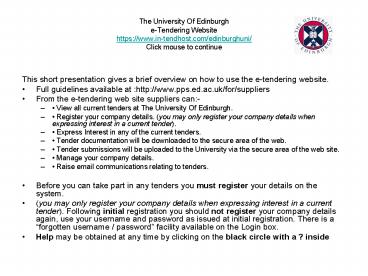
- This short presentation gives a brief overview on
how to use the e-tendering website. - Full guidelines available at http//www.pps.ed.ac
.uk/for/suppliers - From the e-tendering web site suppliers can-
- View all current tenders at The University Of
Edinburgh. - Register your company details. (you may only
register your company details when expressing
interest in a current tender). - Express Interest in any of the current tenders.
- Tender documentation will be downloaded to the
secure area of the web. - Tender submissions will be uploaded to the
University via the secure area of the web site. - Manage your company details.
- Raise email communications relating to tenders.
- Before you can take part in any tenders you must
register your details on the system. - (you may only register your company details when
expressing interest in a current tender).
Following initial registration you should not
register your company details again, use your
username and password as issued at initial
registration. There is a forgotten username /
password facility available on the Login box. - Help may be obtained at any time by clicking on
the black circle with a ? inside
2
The University Of Edinburgh e-Tendering
Websitehttps//www.in-tendhost.com/edinburghuni/
Click Here To View Current Tenders
Click here for Help
3
Current Tenders
Click Here for full Tender Details
Scroll Down to view further Tenders
4
To Express interest in a Tender click on the RED
Express Interest Button.You will then be taken
to the login screen.
Click Here to Express Interest in this Tender
Click Here to view this Tender Synopsis
5
The Login Screen If you are a new user click on
the Register Button to register your details on
the system. Returning users enter your details
in the Registered Users Box to gain access to
your secure area of the system..
Click here if you forget your Password
Returning Users Enter your login details to gain
access to your secure area of the system.
New users click here to register your details
6
The Secure area This is where you will receive
your Tender documents and where you will make
your submissions.Click on My Tenders Button to
access your secure Area.Please Note The My
Tenders Button is not available until you have
entered your login details.
MY Tenders Your secure area on the web site.
This is where you will receive your tender
documents and make your returns.
7
This is your secure area of the website where you
will receive your Tender Documents And make your
Submissions
we will publish the tender documents to your
secure area of the web site. You will receive an
email notifying you when the documents have been
published to your secure area. (The email will be
sent to the email address you supplied as the
PUBLISH email address in your registration.)
To Access the document set you must login and
then click on the button on the left hand side of
the screen My Tenders this is your secure area
within the web site. Tender Documents Received
will contain all the documents for the tender.
You may download or print the documentation.
Questionnaires should be completed on the system.
When complete use the Upload documents to my
return facility. You may attach as many documents
as you require. Important your submission
will not be returned to the University Of
Edinburgh until you press the Red Submit Button.
The dialogue at the top of the screen will change
to show the documents have been submitted. You
may only submit your documents once. Documents
not received by the closing time/ date for the
relevant tender will be automatically rejected by
the system. All returns / submissions should
be made via the e-tendering web site. All
communications relating to tenders should be made
via the e-tendering web site using the Create New
Correspondence facility located within the secure
area of the web site. Suppliers can update
their own details, contacts from within the
secure area of the website.
Recommended

