

How to Take Actions Based on Spotlight on SQL Server Enterprise Alarms PowerPoint PPT Presentation
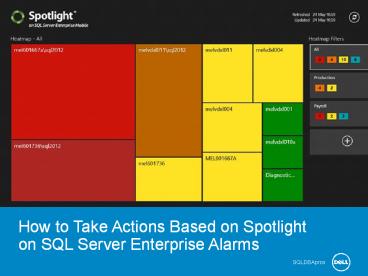
Title: How to Take Actions Based on Spotlight on SQL Server Enterprise Alarms
1
How to Take Actions Based on Spotlight on SQL
Server Enterprise Alarms
SQLDBApros
2
Why should you care?
- Managing SQL Server requires performing many
tasks, including maintenance and monitoring. - Maintenance can be scheduled and performed via
jobs, but monitoring takes some human touch to - Ensure real issues are addressed
- Ignore non-critical items until all crises items
are solved - Monitoring SQL Server can be taxing, unless you
set up a system for doing so. - In order to have a proper monitoring system you
need to identify what needs to be monitored, how
you are alerted and what items are critical.
3
Monitoring SQL Server
- In order to have a proper monitoring system you
need to identify - what needs to be monitored
- how you are alerted
- what items are critical
- Spotlight on SQL Server allows you to set up
custom alerts for crisis level or unusual
activity. - An example might be when a CPU runs at 90 for
more than five minutes during business hours. - You can dictate what you what to be alerted
about, whether you are alerted or what
alternative actions to take, and when the item is
deemed critical.
4
The following video
- The following video teaches you how to take
actions based on pre-defined alarms in Spotlight
on SQL Server, version 10.0. - How to create alarm actions
- Name the action
- Define conditions
- Select actions to perform
- Alarm actions can be
- Day based
- Time based
- Duration based
- Severity based
5
Click to watch the video now
6
Learn MoreDownload Spotlight on SQL ServerView
Tutorial on YouTube
Recommended

