

How to Fix MSVCR100.DLL is Missing Error? PowerPoint PPT Presentation
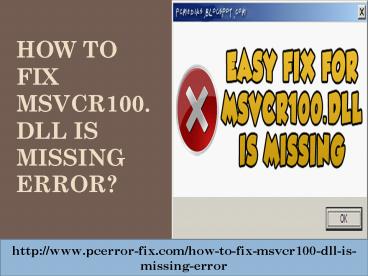
Title: How to Fix MSVCR100.DLL is Missing Error?
1
How to Fix MSVCR100.DLL is Missing Error?
http//www.pcerror-fix.com/how-to-fix-msvcr100-dll
-is-missing-error
2
What is MSVCR100.DLL error ?
- Sometimes, for smooth running of programs and
applications presence of DLL files are necessary. - Applications built up with visual C require a
Microsoft visual C file namely MSVCR100.DLL - In the absence of MSVCR100.DLL file you may get
an error message as shown below.
3
Types of MSVCR100.DLL error messages
- MSVCR100.DLL could not be found.
- Can not find path to Msvcr100.dll
- The application failed as msvcr100.dll was not
found. Re installation of application may fix the
issue. - Could not start application. Missing
msvcr100.dll. Please re install application. - The file MSVCR100.DLL is missing.
http//www.pcerror-fix.com/how-to-fix-msvcr100-dll
-is-missing-error
4
Cause of MSVCR100.DLL errors
- In general, MSVCR100.DLL errors occur as a result
of circumstances that results in removal or
corruption of MSVCR100.DLL file. - Mostly, MSVCR100.DLL errors specifies
- Registry problem
- Malware or virus issue
- Hardware failure issue
5
Steps for fixing MSVCR100.DLL errors
- Firstly, you need to check if you are using a 32
bit or 64 bit copy of windows. - In windows XP, go to start menu and click Run,
type winver and then press enter. - For windows 7 and vista, go to start menu and
type Computer and press enter. Now, right click
on it and open properties. You will get the
required information under this. - For windows 8, instructions are same as that of
windows 7, only difference is that you will be in
the start screen and not in the smaller menu.
http//www.pcerror-fix.com/how-to-fix-msvcr100-dll
-is-missing-error
6
- Directly download the correct version of
Microsoft visual C 2010 redistributable package
from Microsoft. - Go to the site of Microsoft and search for
Microsoft visual C 2010 redistributable
package and you will receive a list of
downloadable versions. - You may sort by release date for getting the
latest version or can look for Service pack
(SP1). - Select x64 for 64 bit copy of windows and x86 for
32 bit copy of windows.
7
- The visual C download page should appear as
following.
http//www.pcerror-fix.com/how-to-fix-msvcr100-dll
-is-missing-error
8
- Now, download and install the software and follow
the commands in order to add this toolbox to your
computer. - Now Restart your PC, if you have not done it so
far, and try with your application again. Your
error message probably has disappeared.
9
Conclusion
- You can fix this error easily with the above
listed procedure. - The listed steps are quite easy to perform and
will solve your issue. - If you still have problem fixing this issue then
you can use PC repair tool. - It is an effective and useful software able to
fix any sort of errors of your PC like windows
error, blue screen error of death, DLL errors
etc. - you dont need to be technically proficient to
use this software as it is very easy to use.
http//www.pcerror-fix.com/how-to-fix-msvcr100-dll
-is-missing-error
10
- For more information about this topic please
log on to - Thank you
http//www.pcerror-fix.com/how-to-fix-msvcr100-dll
-is-missing-error
Recommended

