

11 Tips to Make a Effective Mobile Device Testing Lab PowerPoint PPT Presentation
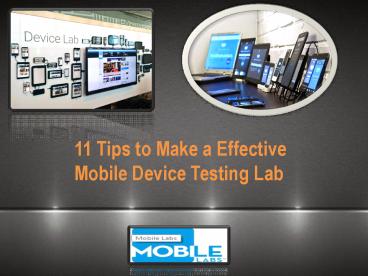
Title: 11 Tips to Make a Effective Mobile Device Testing Lab
1
11 Tips to Make a Effective Mobile Device
Testing Lab
2
Mobile Labs provides enterprise-grade, next
generation mobile application testing tools. With
a focus on security, agility and affordability,
Mobile Labs delivers solutions to help you
deliver quality mobile apps for Android, iOS and
Windows platforms while also helping manage
mobile devices in a private, secure cloud.
IPS
OUR WEBSITE
http//mobilelabsinc.com/
3
Tip 1 Use Real Devices
Whether using a public cloud, a secure private
mobile device cloud or a device plugged into a
desktop, always plan to test on real devices.
While many testers today use emulation
technology, it isnt the most trustworthy
solution.
4
Tip 2 Master Apple Code Signing and Provisioning
A common challenge that testers face when
creating a mobile device testing lab is iOS
provisioning, the process by which Apple allows
an app to be installed and launched on a real
device.
5
Tip 3 Use a Secure, Private Mobile Device
Testing Cloud
Using a secure and private device cloud is a
crucial for enterprises with a large number of
testers, especially when they arent located
under the same roof. This separation can range
anywhere from a different building to another
continent.
6
Tip 4 Dont Get Crushed by the Numbers
According to data compiled by mobile metrics
vendor Criticisms, there are 2,582 device types
running 106 operating system versions serviced by
691 carriers worldwide. If the goal is to test
every permutation possible, then every test case
will be run 189,121,172 times!
7
Tip 5 Join the DevOps Revolution
As Apple and Android tools have at times proven
to be both difficult to use and time consuming,
development, IT and QA staffs are now working to
automate and field their own production
environments.
8
Tip 6 Dont Automate Everything
A solid mobile device testing strategy takes into
consideration when to automate and when to fall
back on manual testing. The fact remains that
some tests are simply faster, easier and less
expensive to run manually, such as trainability
tests, configuration tests, mobile device
performance tests and usability tests.
9
Tip 7 Find the Developers
Communication between mobile device test teams
and development teams shortens cycle times and is
crucial when ensuring apps are properly signed
for installation on real devices.
10
Tip 8 Dont Try to Find the Swiss Army Knife
of Testing
Because enterprise mobile apps almost always use
back-end services, thorough testing involves both
manual and automated UI testing, but may also
include security testing, service virtualization,
load testing, performance profiling and network
condition testing. Most enterprises use tools
that manage test cases both automated and
manual and that include versioning, storage of
results and the ability to data-drive and to
automate concurrent testing.
11
Tip 9 Use What You Know
- Does the tool have stable support for real
devices? - Do you already know how to use this tool?
- Can the tool solve your device access management
challenges?
12
Tip 10 Know What You Are Testing
Mobility has turned the client-server model on
its head, thus creating a huge DevOps challenge.
Desktop web tools test back-end services in
conjunction with a small set of browsers on a
single desktop, and the code is almost always
served up by a Web server, which makes syncing
their functions fairly easy.
13
Tip 11 Satisfy the CISO
As mobile devices depend on wireless network
connectivitypublic and private networksfor much
of their function, testing must not only be done
on real devices, but also on real devices that
have public network access.
14
CONTACT US
Thank you for your interest in Mobile Labs!
Headquarters3423 Piedmont Road NESuite
465Atlanta, GA 30305 1 (404) 214
5804 Info_at_mobilelabsinc.com
15
(No Transcript)
Recommended

