

Internet Handling Tips For A Seamless Roku Streaming Experience PowerPoint PPT Presentation
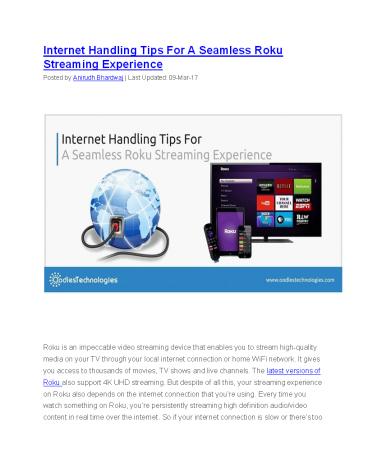
Title: Internet Handling Tips For A Seamless Roku Streaming Experience
1
Internet Handling Tips For A Seamless Roku
Streaming Experience Posted by Anirudh Bhardwaj
Last Updated 09-Mar-17
Roku is an impeccable video streaming device that
enables you to stream high-quality media on your
TV through your local internet connection or home
WiFi network. It gives you access to thousands
of movies, TV shows and live channels. The latest
versions of Roku also support 4K UHD streaming.
But despite of all this, your streaming
experience on Roku also depends on the internet
connection that youre using. Every time you
watch something on Roku, youre persistently
streaming high definition audio/video content in
real time over the internet. So if your internet
connection is slow or theres too
2
much load on the network at any particular time,
then chances are you streaming quality will
suffer. This can happen to anyone. Even if
youre using the most reputed ISP in town, you
never know when your internet might be going be
going down. This kind of disruptions may last
for several hours or even days. Of course, the
best way is to call your ISP immediately but
even that would take hours to finally fix the
issue. But in case your internet connection is
slow, there are certain things that you can try
yourself to fix the issue. Following are some
simple tweaks that you can try to have a better
streaming experience on Roku. Also read How To
Pergform Hard And Soft Reset On Roku.
1 Check Signal Strength This is just to identify
if your Roku streaming device is getting weak
signals. You can check the signal strength of
your WiFi on the Roku enabled TV screen. You can
see the signal strength in these two steps.
- On your Roku enabled TV, Go to Settings gt
Network. - If youre connected to the internet, your signal
strength will be displayed on the screen as
Excellent, Good, Fair or Poor. - If your signal strength is Poor, then the below
mentioned steps can help you fix the issue and
if the problem still persists, its time you
should finally call your ISP to get it resolved.
3
2 Change The Location of Your WiFi Router The
location of your Router is very crucial for a
sound internet connection. If your router is
placed in a room that is far from the room where
your TV is, chances are your WiFi signal
strength will suffer. It is best to have your
router at the centre of the house so that every
corner of your house can receive a fair signal.
So if the router is placed near your TV set,
its but obvious that your signal strength will
be good. You can try this tweak if youre facing
frequent disruptions owing to the signal strength
of your Wireless network.
3 Manually Change Your Wireless Channel If you
live in residential areas with high population
density, then you might face interference from
the other wireless networks around you. In that
case, changing the broadcast channel on your
router might help fix the issues caused due to
this kind of interference. You can manually
change the wireless channel by going into your
router settings. While doing this, it is
recommended to select the channels that offer
minimal overlapping frequencies. These are
usually channel no. 1, 6 and 11. Also, in case
you have a dual-band router, you can change your
Roku player frequency to 5 GHz. The procedure
may vary depending on the manufacturing company
of the router. You can see the entire procedure
either on the user manual or on the website of
the manufacturing company.
4 See If Too Many Devices Are Connected Many
times, the internet connection slows down when
too many devices are connected to the same
network. So it is recommended to check if too
many devices are connected to your home WiFi
network. If possible, disconnect some of the
devices as it will definitely reduce the load on
the network and it may also boost the internet
speed. You
4
can also impose a limit for the maximum number of
connected devices by going into your router
settings.
5 Upgrade Your Existing WiFi Router In case
youve tried everything but it still doesnt make
a difference, its time you should upgrade your
router. It might be because youre using an
obsolete model which doesnt support latest WiFi
standards such as 802.11n or 802.11ac. So the
best way is to upgrade to a new router and even
if that doesnt help, youre going to need it any
way at some point of time. So why not
today? So, thats all. Make sure you try all
these things to ensure a sound internet
connection which in turn gives you a stupefying
TV viewing experience.
Recommended

