

5 Platforms for Free Video Conference Call Services PowerPoint PPT Presentation
Title: 5 Platforms for Free Video Conference Call Services
1
Despite the fact that efficient communication
matters a lot for keeping enterprises
competitive in the peer, keeping efficient
communication all the time is a tough thing,
especially when enterprises carry out
cross-regional cooperation, or set up
branches across the country or even the globe. In
this case, it is advisable to adopt video
conference call service, with offers an easy and
real-time way to let you meet and communicate
with coworkers, partners and customers face to
face from anywhere. There are numerous video
conference tools that provide video conference
call services. Some are expensive, and some are
totally free. Due to tight budget, small business
and start-ups are inclined to apply free video
calls and video conferencing services. If you're
one of them, you are in the right place. The part
below introduces you 5 best free video
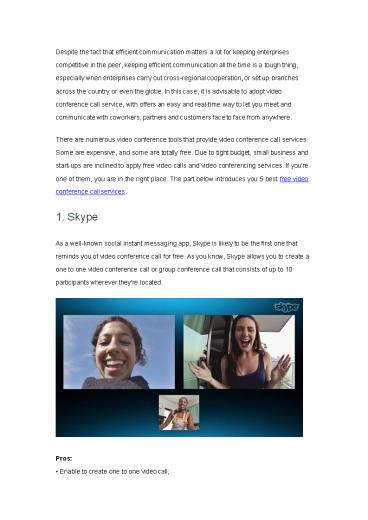
conference call services. 1. Skype As a
well-known social instant messaging app, Skype is
likely to be the first one that reminds you of
video conference call for free. As you know,
Skype allows you to create a one to one video
conference call or group conference call that
consists of up to 10 participants wherever
they're located.
- Pros
- Enable to create one to one video call
2
- Empower to start group video call
- Support file sharing and screen sharing
- Allow to send text messages, voice messages and
video messages. - Cons
- Only support 10 participants appear in a same
group video call. - 2. Google Hangouts
- Google Hangouts is a free online video conference
call, which lets you meet coworkers, customers
and partners on a same page easily. You can get
easy access to it via Chrome toolbar, Gmail,
Inbox and its Android and iOS apps.
- Pros
- Enable to start one to one or group conversations
via a video conference call at a time - Allow to share screens with other participants
- Integrated with Google calendar
- Screen focuses on the speakers automatically
3
- Empower to send text, emoji, photos and more
- Record video conversations to share with others
via Google and YouTube. - Cons
- Only up to 10 participants can be in a same video
conference call. - 3. ezTalks Cloud Meeting
- The third free internet video conference call
service is ezTalks Cloud Meeting. Compared to
Skype and Google Hangouts, ezTalks Cloud Meeting
gives you the power to host and attend an online
meeting with up to 100 participants, which is
significant for enterprises to have more
participants present at a same meeting and
collaborate with no cost.
- Pros
- Support up to 100 participants in a same meeting
4
- Support unlimited meeting times
- Allow to create a personal meeting room
- Allow to have a meeting right now, or schedule a
meeting at a certain time - Fully compatible with Windows PC, Mac, Android
device and iOS devices - Work well in desktop sharing whiteboard
sharing - Offer two kinds of views gallery view and full
screen - High-definition video and high-fidelity audio
- Allow to chat with anyone or in a group
- Record video conversations for playback later
- Work perfectly with ezTalks Onion, a feature-rich
video conferencing equipment. - Cons
- 40-min limit on group meetings.
- 4. ooVoo
- ooVoo is the fourth one to let you have free
video conference calls online. It is compatible
with Android devices, iOS devices, Amazon Fire
Phone, Windows Phone, Mac, PC as well as Intel
RealSense devices. With its help, you can have
twelve people to join a same video conference
call at a time. During the video conference call,
you can send text message, share fun photos,
make a capture by recording.
5
- Pros
- Allow to send text, picture, video messages, and
more - Be available on Amazon Fire Phone, Android
devices, iOS devices, Mac, Windows Phone, PC and
Intel RealSense devices - Allow to create a personal meeting room
- Allow to have a meeting right now, or schedule a
meeting at a certain time - Support adding contacts from Facebook, Twitter,
Gmail, Outlook and other emails. - Cons
- Allow to have a video conference call with up to
12 participants - Force to set Teoma as default search provider, or
set Teoma.com as browser during the
installation. - 5. Zoom
- Zoom offers both free plans and paid plans. Here
we focus on its free plan. With it, you're able
to start and attend a 50-person face-to-face
online meeting which lasts for 40 minutes! Just
like ezTalks Cloud Meeting, it displays the video
conference with HD video and HD voice, so that
you can see the looks on the other participants'
faces and watch their body languages clearly.
For more features, please have a look at the
following part.
6
- Pros
- Meet with up to 50 participants
- Unlimited number of meetings
- Allows to share interactive whiteboards for
drawing, drafting and typing - Support files sharing, screen sharing with marks
on it - Fully compatible with Macintosh OS, Windows,
Linux, Android as well as iOS - Enable to start an impromptu meeting or schedule
a meeting at a fixed time - Support private and group chat, and saving the
chat history for use later - Provide with 3 views active speaker's view,
gallery view and full screen - Keep the audio recording of meetings to avoid
missing anything important. - Cons
- Only host up to 50 participants
- Group meetings only last for 40 minutes at a
time - Not allowed to record video conversation
- Only text, no emoji, can be sent in the built-in
instant messaging - Screen sharing is frequently to be paused.
Recommended

