

3 Key Steps to Plan Multi-Stop Routes with Dynamics CRM PowerPoint PPT Presentation
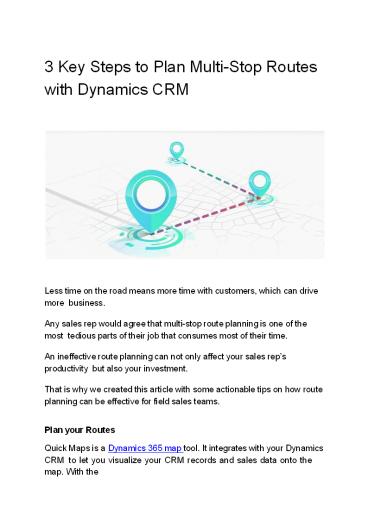
Title: 3 Key Steps to Plan Multi-Stop Routes with Dynamics CRM
1
3 Key Steps to Plan Multi-Stop Routes with
Dynamics CRM
Less time on the road means more time with
customers, which can drive more business. Any
sales rep would agree that multi-stop route
planning is one of the most tedious parts of
their job that consumes most of their time. An
ineffective route planning can not only affect
your sales reps productivity but also your
investment. That is why we created this article
with some actionable tips on how route planning
can be effective for field sales teams. Plan
your Routes Quick Maps is a Dynamics 365 map
tool. It integrates with your Dynamics CRM to
let you visualize your CRM records and sales data
onto the map. With the
2
default Dynamics version, you can surely get your
records onto the Bing maps. However, it allows
only one record per map, making it difficult to
plan your day or take any data-based
decisions. Route Optimization It is the process
of defining the best route with the shortest
travel time, lesser traffic, and multiple
waypoints for the sales reps. Doing it manually
can be complicated as it can include making a
choice from the multiple available routes, a
number of intersections along the route and many
other factors. The Three-Step Solution Step 1
Gather the Locations The important step. Cluster
clients locations based on the criticality. For
example, rather than defining an area where you
would want to work for the day, go through your
list of prospects and leads to determine the
critical, important ones you need to work on.
Based on that, you can plan your entire week to
pay equal importance to each one of them. Step
2 Plot Your Records Once you are done with the
above exercise, you will have a list of clients
to work on. In this step, you will need to open
Quick Maps or any other map integration from
your Dynamics CRM. After that, select records to
plot onto the map. For that, entity mapping is
mandatory. Here you need to add details like
address, latitude, longitude, country, state,
city, etc. After Entity mapping, you will need
to get geocodes from your records. For that, you
will need to click on get geocode option from
the top for either selected or all records.
After these steps, you can go to the maps to plot
your records.
3
(No Transcript)
4
Step 3.Plan your day After plotting records, you
can prioritize the areas based on the sales
figures. To identify them, create a heat map to
list out all your areas. From the heat map
visualization, you will be clear about your
top-performing areas. Now, the next step
includes route optimization Add your starting
point from the left panel and the records. For
example, if your records are A, B, C, D, and E
and if A is your starting point, Quick Maps will
select the best route with shortest travel time
by excluding road closures, traffic, etc. If you
want to adjust this route, you will be able to
do so easily by simply dragging a particular
point.
5
- The Benefits
- Saved Windshield time As the sales rep gets all
the information in advance, it becomes easy to
get an overview of the time they might need for
the whole week. As a result of it, they would
reduce redundant work and focus more on
conversion-driven meetings. - Increased Customer Visits Sales reps can plan
more customer visits with this route
optimization. For example, they get 2 hours extra
as the existing meetings got completed before
time because of the shortest travel route, they
can search for nearby contacts and visit some
more clients. - Reduced Gas Usage With optimized route planning
and shortest travel route, your on-field sales
reps will be covering more clients in lesser time
and using lesser gas. This means your expenses
might go down whereas your sales might go up.
6
Drive Smart - Not Everywhere With route
optimization, it becomes easy for sales reps to
focus on the quality of the journey rather than
the number of destinations. Original
Blog https//www.appjetty.com/blog/steps-plan-mul
ti-stop-routes-dynamics-crm
Recommended

