

A Complete UX Design Checklist You Need To Go Through PowerPoint PPT Presentation
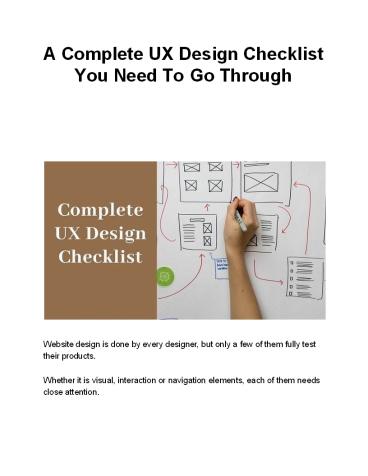
Title: A Complete UX Design Checklist You Need To Go Through
1
A Complete UX Design Checklist You Need To Go
Through
Website design is done by every designer, but
only a few of them fully test their
products. Whether it is visual, interaction or
navigation elements, each of them needs close
attention.
2
You cant be sure about the outputs a website is
going to produce unless you run a complete
test. It is mandatory to ensure that everything
is in place and aligns with your goal. Else, if
visitors come to your site and they dont get a
great experience, the first thing they will do
is abandon your page and switch to
competitors. This way your chance to bring
potential customers to the sales funnel will be
diminished. To avoid such a situation and ensure
that your site is doing best at its work, you
need to perform a thorough check. That should
include every single component of your website
thats there for users notice. In this blog,
we will have a discussion about some points that
you need to check before launching a
site. However, prior to initiating the
long-awaited topic, I would like to introduce
you to the prominent web design Los Angeles
company - SFWP E xperts. Located in the heart of
California, this agency is focused on offering
quality services within stipulated time all over
the world. Generally speaking, they have
specialization in a slew of services that will be
beneficial for your brands like user-centric web
design and development, customized software
development, online marketing, SEO, PPC, and
conversion rate optimization. With that off the
mind, lets enter the subject matter of this post
- the ultimate UX design checklist for web
designers.
3
- The UX Design Checklist Designers Must Look At
- Confirm The Loading Speed of Your Site
- Website speed is the first and foremost
opportunity for you to make a good impression on
visitors. You dont want your potential customers
to wait until you show your online presence,
right? So, its the first UX hurdle that you
should overcome to interestingly draw in your
target audience. - Remember slow websites lead to visitors
agitation and create trust issues in the first
place. Keeping professionalism in mind, you
should optimize your website to load between two
and three seconds. - Anything slower than that is going to land your
business in financial trouble. Because a poor
user experience leads to less consumer
acquisition. - To bring your website reputation on a higher
level, make sure your server speed is
exceptionally well, and reduce the file sizes of
different elements taking up space on the
homepage. This should result in quick site pop up
when someone clicks on your link. - Check If A Bold CTA Is On Your Page
- An effective call-to-action button plays a key
role in informing your visitors about what
exactly they have to do. That could be like Sign
up or Buy Now or sometimes even Add to
Cart. Make sure the one having on your site
looks commanding, straightforward, and describes
the value of doing so. - Now you would be wondering what your CTA should
look like? Make it neat, clear and fill with
bold colors such as green, orange or similar
shades. More importantly, dont forget to
surround it with white space since that will
4
- increase its visibility. At the end of the day,
you want your users eyes to be drawn straight
to it, conveying them clearly that this is what
you should do. - If you are looking for a design professional to
create an appealing CTA for your site, bear in
mind we will definitely live up to your
expectations. Successfully catering to 600
clients around the world, our Los Angeles web
design company has evolved as a trusted
professional partner for businesses and
enterprises of late. You can rely on us without a
doubt if you need services like responsive web
design and development, landing page design and
development, email marketing, social media
marketing, search engine optimization and all. - See If Your Hierarchy Direct Users Where To Go
Next - The moment you start designing a site, you should
have a frictionless user journey in mind.
Just, for instance, assume that you are said to
build a site where the client will teach online
courses. Then, what should a simple user journey
look like? - Read newer blog posts gt download free test report
gt sign up newsletters gt register in a paid
online course. - If you have such a clean and clear user journey,
you can create a visual hierarchy and show users
the destination where you want them to go. In
this case, you need to make sure they see your
blog first and then you can put multiple links
to your mailing list. - Determine If Your Site Has A Simple 3-Color
Palette
5
Again, this is all about ensuring things look
simple, not over-complicated. Combining more
than 3 primary colors is often difficult and if
done ignorantly that could lead to viewers
confusion. Believe it or not, color is also a
crucial factor in shaping users experience. Do
you know why? It is linked with the psychology
and emotion of humans. For instance, people
usually associate blue with trust (perhaps this
is the reason why Facebook uses blue color
everywhere). In addition to connection, you
should also ensure that your color palette
matches your product. In case, you have some
color in mind you want to represent your brand
with, speak up with us and we will help in
shaping your brand appearance. Seasoned
designers at o ur Wordpress website design
company are looking for different types of
projects to unveil their skills. Not just your
brand representation, we will also work on brand
promotion to help you reach your targeted goal.
To be frank, we are an all-rounder organization
for business development, offering services like
beautiful web design and development, logo
design, icon design, social media management,
copywriting, SEO, and PPC. 5. Make Certain You
Have Just Two Font Families Consistency and
branding are the essentials of excellent user
experience. Imagine a situation where your logo
font is Futura, your body text is Comic Sans,
your call to action is Times New Roman and your
headlines are Windings, everything will look
confusing. Wont they? Thats why it is
recommended to stick to just two font families if
you want the layout to look consistent.
Moreover, going with this tip will make your web
content easier to read and look more professional
and engaging.
6
- Watch Out For A Consistent Navigation
- The way users explore your website and navigate
through your products and services decides
whether or not they are going to complete their
goal on your site. So what can you do to make
your navigation consistent? - Have a look at your information architecture
documentation and ensure that your navigation is
understandable and reachable by every individual
who comes to your site. On top of that, you also
need to check that your navigational elements
render well on all screen sizes and don't change
or disappear anyway. - We highly recommend you to try out card sorting
or tree testing techniques before experimenting
with visual design since that will ensure your
information architecture is intuitive and
user-friendly. - Now that you know how important it is to have
easy-flowing navigation, its time to get
designed the same as early as possible. If you
want some sort of help from an experienced
designer or agency, we have your back. With over
5 years of experience in the IT industry and an
additional 5 years in online marketing, we are
capable of fulfilling all types of website needs.
So, dont forget to establish a connection with
Wordpress developer p rofessionals, if your
organization needs services more so, eCommerce
web design and development, website checking and
redesign, speed optimization, search engine
optimization, and pay per click advertising. - Analyze If The Navigation Is Scalable
- Lets be blunt here - its nearly impossible to
redesign a products navigation and information
system every single time when all of a sudden
the need to add new features or content arises.
Navigation menus and the overall layout needs to
be stretchable enough so it can accommodate more
7
topics or categories without a problem.
Conclusively, designing a menu structure with
room for growth in mind will help in ensuring
that it can scale easily down the road. To make
scalable navigation, what you need to do is to
ask all stakeholders about how content could
grow in the future course of time? Will having
more static content on the site be good enough?
Will the website architecture support
videos? 8. Reassure The Availability of Progress
Indicator For Multi-Step Workflows In the usual
cases of multi-step workflows, the chances are
users can wonder how long it will take to finish
a task. At that place, having a progress
indicator will help users to locate which stage
they are in. More importantly, it creates a
sense of accomplishment after going through the
process and lowers down the drop rates. An easy
way to check its functionality is to test all the
flows inside your products where users are taken
through various steps to accomplish a certain
activity. Then make sure that each progress is
being shown through an indicator. If you are
facing issues in designing multi-step workflows,
keep remember that you can count on us. Having
proficient tech geeks at our Los Angeles web
design company is like a boon for all our clients
since they are committed to helping everyone to
meet website needs. To get hold of them what you
need to do is just drop an email or speak on a
call. We can help grow your business through
professional web design and development,
homepage design and development, social media
promotion, internet marketing, SEO, PPC and all.
8
- Pay Heed To Repetitive Actions (If They Feel
Painless) - Repetitive actions for the same input looks like
a stressful task that resists users achieve
their goal quickly and easily. Filling web forms,
for example, feels like a frustrating job when
you are required to enter the same information
in different forms. At that point, the user is
likely to find an alternative way to get their
task done. They might switch to your competitors
who can help him to do it faster or better or
something else. - One of the nice ways to test it is to start
analyzing all your products flows and closely
observe how users behave on your site. You want
to ensure that if repetitive actions are
required to do certain tasks on your site, it
must be facilitated. Just think this way, how
good will it be for users if they can use an
option to use previously entered information? - Find Out If Alert Messages Are Consistent
- Alert messages are notifications that have the
same visual style as other website elements and
appear usually at the top of pages. - Consistently, sending alert messages to users is
an extremely necessary task since that will
allow them to understand what immediately
deserves attention and whatnot. If you are not
being consistent with the alerts would mean
users have to put a little pressure on their mind
every time a new alert pops up. - To test if alert messages are consistent or not,
you just have to ensure if they are in the same
visual style and positioned at the right place. - A Quick Wrap Up On UX Design Checklist
9
Thats all about the UX design checklist that you
needed to know to create an awesome user
experience. Check out all the points discussed
above and you will be able to attract most
visitors attention, ending up at capturing your
target audience, building trust, and making them
feel happy with the interaction experience.
Needless to say, what you should do if you come
up with a problem throughout the process. Put in
mind that SFWP E xperts is a cutting edge web
design company in Los Angeles focused on healing
clients website problems. We can help your brand
reach the next level if you collaborate with us
for result-oriented services like
gorgeous-looking web design and development,
online advertising and promotion, email
marketing, content writing, search engine
optimization, and the rest. Contact
Details 213-277-9177 l a_at_sfwpexperts.com Visi
t Reference Profile Websites h
ttps//bit.ly/2LF0Nod h ttps//bit.ly/3dYkseS h
ttps//bit.ly/3g9lVRM h ttps//bit.ly/2LBV2rt h
ttps//bit.ly/3bNsTZm
10
h ttps//bit.ly/3bNsTZm A mbush Marketing h
ttps//bit.ly/367C5X0 h ttps//bit.ly/36bVFkR h
ttps//bit.ly/2X5BEIS h ttps//bit.ly/2ygNzeu h
ttps//bit.ly/2yb9N1h h ttps//bit.ly/2ZfVIuO h
ttps//bit.ly/2Xlnt2z h ttps//bit.ly/2WEEMw4 L
ead Magnet Expert
Recommended

