

Pro Tips to Make Small Text Embroidery Digitizing for Beginners PowerPoint PPT Presentation
Title: Pro Tips to Make Small Text Embroidery Digitizing for Beginners
1
Pro Tips to Make Small Text Embroidery Digitizing
for Beginners Embroidery Designs with colorful
threads to our clothing have dated back to the
5th to 3rd century B.C. Though hand-stitch
embroidery designs look fantastic, we have
Embroidery Digitizing today, which gives the
perfect finish and quality for bulk production
in less time. The very trickiest part of
Embroidery Digitizing Service is small patterns
and small text digitizing. Why is it
challenging? How to create a perfect Small Text
Embroidery Digitizing? Here are few pro tips.
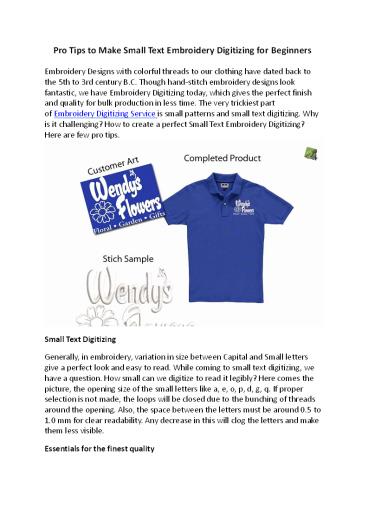
Small Text Digitizing Generally, in embroidery,
variation in size between Capital and Small
letters give a perfect look and easy to read.
While coming to small text digitizing, we have a
question. How small can we digitize to read it
legibly? Here comes the picture, the opening
size of the small letters like a, e, o, p, d, g,
q. If proper selection is not made, the loops
will be closed due to the bunching of threads
around the opening. Also, the space between the
letters must be around 0.5 to 1.0 mm for clear
readability. Any decrease in this will clog the
letters and make them less visible. Essentials
for the finest quality
2
The essential keys for the finest quality of
small text embroidery are digitizing our
selection of fabric, right thread size, and right
needle size. The perfect needle size shall be
No. 40 to No. 60, and coming to needle size, it
shall be No. 65/9 to No. 75/11. Selecting the
correct type of Needle and Thread helps to make
25 smaller letters. The smaller the needle, the
thinner and visible letters can be created. Let
us see more details in the next section. How to
create perfect small text embroidery
digitizing For Small text embroidery digitizing,
use any suitable software. Some of the most used
Embroidery Digitizing software are Hatch,
Bernina, Dime, Floriani, PE-DESIGN palette,
Stitch Artist, Master Works III, Perla, Chroma
Luxe, Janome. Whatever software you choose,
first use the trial version and conclude your
suitability. Design Visibility Let us consider
creating a logo design for a T-Shirt. The design
and the text in the Logo must be visible and easy
to read from a long distance. Therefore, while
small text embroidery is digitizing, the size of
text plays a prominent role. Let the height be 4
mm or higher for clear visibility. Column Size
and Opening Size In addition, the Width of the
column shall be a minimum of 1.4 mm. To make the
critical letters with loops, i.e., a, e, o, p, d,
g, q, the opening size shall be 0.8 mm
minimum. The density of Stitches For small text
digitizing, keep the density between 0.6 to 0.7
mm. Too much density cause problem and leads to
thread breakage. While stitching small letters
lapping should not be done more than twice at
any part. Further, the density of stitches should
be as per standards for the corresponding
garment variety. Push and Pull In small text
digitizing, perfect push and pull compensation
must be chosen. Otherwise, the text will look
very sloppy and uneven due to an imperfect
baseline. The letters look rough, and sometimes
it appears larger and smaller than others.
Therefore at least a little pull compensation
must be applied. It is impossible to predict how
much to use because different circumstances need
different levels. Underlay Using underlay is not
advisable for small text embroidery digitizing
as it may poke out at the lettering edges. Travel
Stitches Travel stitches are the connecting
stitches between two words or objects. Keeping
it in short length will give an excellent finish
to the design. It is good to keep the Travel
stitches to 1.5 mm.
3
Trims and Locks The trim function is helpful to
avoid travel stitches. If you do not want the
traveling stitch, activate Trim and Lock. These
settings can be used for a whole design or a
specific object. For a perfect small
text embroidery digitizing, minimize the Trims
and locks. Set the trim type to Auto and Lock
Type to Around Time. To avoid Trims, adjust the
letters closer together and ensure the distance
between two elements is not more than 1.2 mm. Our
embroidery digitizing service At DesignsIn24, our
experts digitize any designs with peculiar works
and provide timely support, giving 100
satisfaction to our clients. We take utmost care
while digitizing based on the fabric type, and
the finished output file is provided in EMB,
DST, PES, etc., as requested by the Client. For
a professional Embroidery Digitizing Service with
24/7 support around the globe and a quick
turnaround time of 24 hours, visit us at
www.designsin24.com or send your inquiry at
support_at_designsin24.com or call 1 (631) 353-4291.
Recommended

