

The Future of Communication: Unlocking the Power of Speech-to-Text Software PowerPoint PPT Presentation
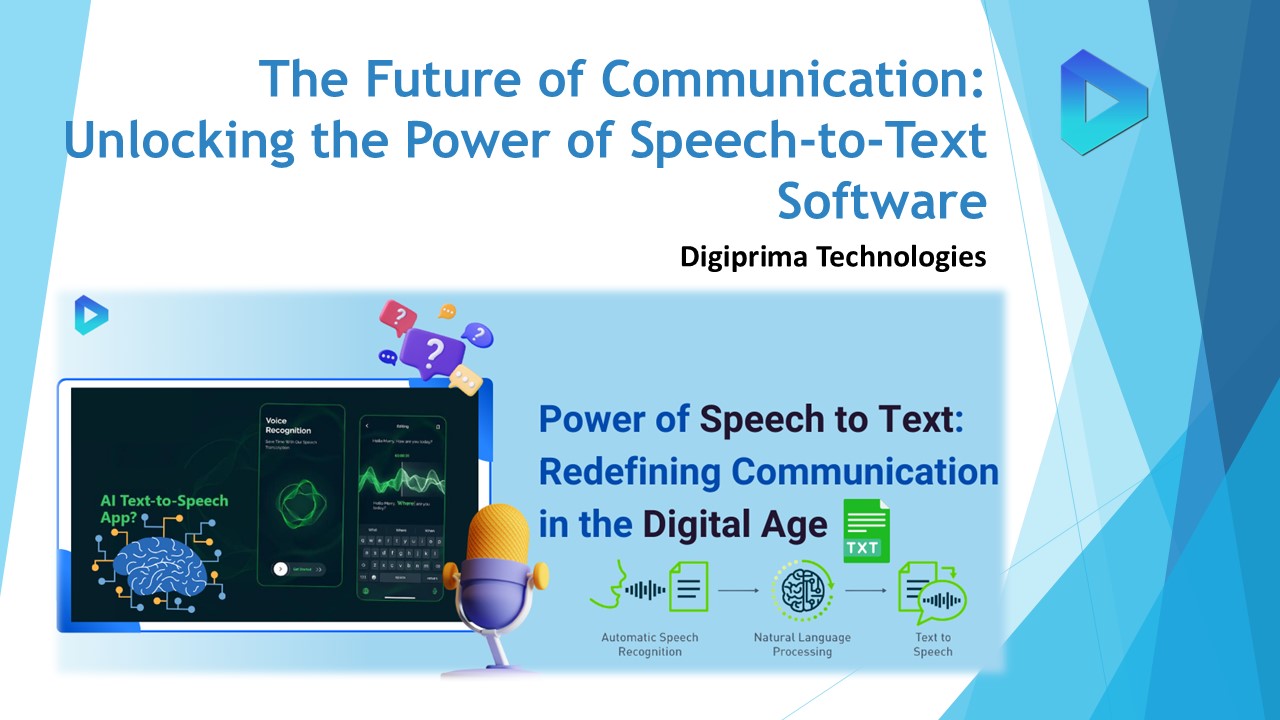
Title: The Future of Communication: Unlocking the Power of Speech-to-Text Software
1
The Future of Communication Unlocking the Power
of Speech-to-Text Software
- Digiprima Technologies
2
- In a world that becomes more interconnected by
the day, the way we communicate has a profound
impact on our lives. Enter speech-to-text
software, the next evolution in communication
technology. With the power to transform spoken
words into written text, this innovative software
is set to revolutionize industries across the
board, from customer service to journalism.
This cutting-edge technology not only streamlines
the transcription process but also opens up a
world of possibilities for accessibility and
efficiency. Whether it's transcribing interviews,
generating closed captions, or enabling real-time
voice commands, speech-to-text software is poised
to redefine how we interact with information. As
more businesses and organizations recognize the
benefits of speech-to-text software, the demand
for this technology continues to grow. By
harnessing the power of artificial
intelligence and natural language processing,
this software unlocks new opportunities for
productivity, collaboration, and inclusion.
3
Advancements in Speech Recognition in AI
- How AI Powers Modern Speech Recognition Tools
- AI is the backbone of modern speech recognition
technology, enabling real-time language
processing and interpretation. By using machine
learning algorithms and natural language
processing (NLP), AI models are trained to
understand various accents, speech patterns, and
contextual nuances. These models continuously
improve through deep learning, enabling higher
accuracy over time. AI-powered speech recognition
tools can transcribe conversations, perform voice
commands, and even translate languages in real
time. As a result, they help businesses automate
tasks, improve customer interactions, and
streamline workflows.
4
- Benefits of Speech Recognition in Daily
Communication - In daily communication, speech recognition offers
numerous benefits, including hands-free operation
and improved accessibility. Individuals can use
voice commands to send messages, make calls, and
navigate devices without physical input, boosting
productivity, especially for those with
disabilities. Businesses benefit by
offering faster customer service, as speech
recognition tools can transcribe calls or resolve
customer queries automatically. Additionally,
these tools reduce manual data entry, enhance
accuracy, and facilitate more natural
interactions in both personal and professional
settings.
5
Applications of AI Speech Recognition Across
Industries
- AI-powered speech recognition has widespread
applications across industries. In healthcare, it
is used for medical dictation, enabling doctors
to quickly record patient information without
manually typing. In the legal sector, it helps
transcribe legal proceedings and client
interviews, saving time and increasing
efficiency. Retail businesses utilize
voice-activated customer service systems to
enhance the shopping experience, while
the automotive industry integrates voice commands
into vehicles for safer, hands-free driving.
Speech recognition is also transforming
education, where it aids in note-taking and
lecture transcription for students.
6
Exploring Voice-to-Text Converter Solutions
- Top Features of Voice-to-Text Converters
- Modern voice-to-text converters offer a variety
of features that enhance their usability and
effectiveness. Key features include real-time
transcription, which allows spoken words to be
converted into text instantly, and multi-language
support, enabling users to transcribe speech in
different languages. Advanced converters
offer punctuation control, allowing the user to
dictate punctuation marks while speaking.
Additionally, many tools come with integration
options for syncing with other software like word
processors, cloud storage, or CRM systems. These
features make voice-to-text converters highly
adaptable to both personal and professional use
cases.
7
How Voice-to-Text Converters Improve Efficiency
- Voice-to-text converters significantly boost
efficiency by reducing the time spent on manual
transcription. In professional environments, such
as legal, medical, or business settings, users
can convert voice recordings or live
conversations into text instantly, allowing for
faster documentation and better accuracy. For
individuals, the ability to dictate text for
emails, messages, or reports eliminates the need
for typing, speeding up the writing process. The
accuracy of modern voice-to-text software also
reduces the need for heavy proofreading, allowing
users to focus on content quality rather than
technical corrections.
8
Comparing Popular Voice to Text Converter Tools
- When comparing popular voice-to-text converters,
several factors should be considered, including
accuracy, ease of use, and pricing. Tools
like Google Docs Voice Typing and Otter.ai are
known for their high accuracy and free basic
versions, making them accessible to a wide
audience. Dragon NaturallySpeaking, on the other
hand, offers more advanced features like
customizable commands and higher precision, but
at a premium cost. Some converters, such as
Trint, are tailored for specific use cases like
media transcription and come with tools for
editing and collaboration.
9
Enhancing Accessibility with Text-to-Speech
Software
- How Text-to-Speech Software Benefits Users
- Text-to-speech software offers numerous benefits,
particularly for individuals with visual
impairments or reading difficulties. By
converting text into audio, users can listen to
web content, documents, or emails, improving
accessibility and inclusivity. TTS tools also
enhance productivity for people with learning
disabilities, such as dyslexia, by providing
auditory support. Additionally, it enables
hands-free access to information, allowing users
to multitask by listening to emails or articles
while driving or working. This technology also
benefits non-native speakers by helping them
improve their pronunciation and language skills.
10
- Integrating Text to Speech in Everyday Devices
- Integrating TTS software into everyday devices is
now more seamless than ever. Most smartphones,
tablets, and computers come with built-in TTS
features, allowing users to convert text from
emails, web pages, and other applications into
speech with just a few clicks. Popular platforms
like Amazon Alexa and Google Assistant use TTS to
read aloud reminders, messages, and more.
Additionally, specialized TTS apps and browser
extensions can be easily installed on desktops
and mobile devices for customized voice settings
and enhanced functionality. This integration
improves daily convenience and accessibility for
all users.
11
- Choosing the Best Text-to-Speech Software for
Business - When selecting text-to-speech software for
business, it's essential to consider factors
like natural voice quality, multi-language
support, and customization options. Businesses in
the education, healthcare, and customer service
sectors can use TTS software to improve
communication and engagement with diverse
audiences. For example, Nuance's Dragon
Professional offers advanced customization and
voice options, making it suitable for corporate
environments. Amazon Polly is another popular
option, providing high-quality, natural-sounding
voices and robust integration capabilities for
applications and websites. Prioritizing features
like ease of integration, affordability, and scala
bility is key when choosing TTS software for
business purposes.
12
Speech-to-Text App for Seamless Transcriptions
- Key Features of Popular Speech-to-Text Apps
- Popular speech-to-text apps offer essential
features that ensure accuracy and convenience.
Key features include real-time transcription,
which allows users to see the text as they speak,
and multi-language support, accommodating users
who need transcription in different
languages. Advanced apps also provide punctuation
controls, enabling users to dictate punctuation
marks like commas and periods. Additionally,
features like offline functionality and cloud
integration allow for accessibility anywhere,
anytime, and easy saving of transcriptions. These
features make speech-to-text apps valuable tools
for professionals needing accurate, quick
documentation.
13
- How Speech-to-Text Apps Simplify Communication
- Speech-to-text apps simplify communication by
automating transcription, eliminating the need
for manual note-taking or typing during
conversations. This is especially beneficial for
professionals in journalism, legal services, and
customer support, where fast and precise
documentation is crucial. These apps also enhance
accessibility for individuals with disabilities,
providing hands-free communication. Whether for
transcribing meetings, interviews, or phone
calls, speech-to-text apps ensure smoother
workflows by reducing the time and effort
involved in manual transcription and data entry.
14
- Selecting the Right Speech-to-Text App for You
- When choosing the best speech-to-text app,
consider factors such as accuracy, ease of use,
and compatibility with your devices. Popular apps
like Otter.ai and Google Docs Voice Typing offer
high accuracy and user-friendly interfaces,
making them ideal for daily use. For more
advanced needs, Dragon Anywhere provides
professional-grade transcription with
customizable commands, suitable for detailed
workflows. Its important to select an app that
supports the specific languages and features
needed for your business or personal use while
ensuring that it integrates smoothly with other
software for seamless operation.
15
Voice Recognition Software for Efficient Workflow
- How Voice Recognition Software Boosts
Productivity - Voice recognition software helps boost
productivity by allowing users to perform tasks
hands-free, significantly reducing the time spent
on typing or manual input. With the ability to
create documents, send emails, and schedule
appointments through voice commands, employees
can multitask more effectively. In industries
like healthcare and legal services, voice
recognition tools speed up documentation
processes, enabling professionals to transcribe
notes and reports while focusing on their primary
tasks. These tools also minimize errors related
to typing, improving accuracy and ensuring
smoother workflows.
16
- Incorporating Voice Recognition into Business
Systems - Incorporating voice recognition software into
business systems is an efficient way to enhance
workflow automation. By integrating these tools
into CRM systems, project management platforms,
and communication software, businesses can enable
voice-activated tasks like logging customer
interactions or updating project statuses.
Additionally, virtual assistants powered by voice
recognition can manage meetings, generate
reminders, and even handle customer service
requests. These integrations streamline
repetitive tasks, reduce manual workload, and
improve overall efficiency in daily operations.
17
- Top Voice Recognition Software Solutions for
Professionals - Professionals should choose voice recognition
software based on their industrys unique
requirements. Dragon NaturallySpeaking is a
leading tool offering high accuracy, customizable
voice commands, and powerful dictation features,
making it ideal for the legal and healthcare
sectors. Google Assistant and Amazon Alexa offer
more general-purpose voice recognition features,
suitable for managing daily tasks, scheduling,
and communication in business environments.
Otter.ai is a strong contender for transcription
and meeting notes, especially for professionals
needing real-time collaboration features.
Choosing the right software ensures optimal
results based on the nature of the work and
desired workflow improvements.
18
Voice-to-text Software for Accurate Transcriptions
- Enhancing Accuracy with Voice-to-Text Software
- Modern voice-to-text software uses advanced
natural language processing (NLP) and machine
learning to improve transcription accuracy. These
tools can detect different accents, dialects, and
contextual language, significantly reducing
errors in transcriptions. Features like real-time
speech recognition allow users to correct
mistakes as they speak, ensuring high precision.
Businesses also benefit from voice-to-text tools
that adapt to user habits over time, learning
from past transcriptions to improve future
performance.
19
- Key Benefits of Voice-to-Text Software for
Businesses - Businesses using voice-to-text software see
numerous benefits, including faster document
creation, which allows employees to focus on
higher-level tasks rather than manual
transcription. Additionally, these tools improve
efficiency by automating repetitive tasks like
meeting notes or client call transcriptions. For
companies that rely heavily on communication,
such as law firms or call centers, voice-to-text
solutions help keep records accurate and easily
searchable. Moreover, many software options
offer multi-language support, making global
communication seamless for businesses dealing
with international clients. - How to Choose the Right Voice-to-Text Software
- When selecting voice-to-text software, businesses
should consider factors like accuracy, speed, and
ease of integration with existing systems.
Software such as Dragon NaturallySpeaking or
Otter.AI is known for its high precision and
adaptability to various industries. It's also
important to evaluate scalability, especially for
growing businesses, ensuring the tool can handle
increased workloads. Other considerations include
cost, whether the software offers customizable
commands, and whether it supports integration
with other business tools like CRM platforms or
document management systems. These factors help
businesses select a solution that aligns with
their needs.
20
Medical Dictation Software for Healthcare
Professionals
- Benefits of Using Medical Dictation Software in
Healthcare - Medical dictation software offers
significant time-saving benefits for healthcare
professionals, allowing them to transcribe
patient notes verbally instead of typing. This
process reduces the time spent on documentation,
enabling doctors and nurses to focus more
on patient care. Additionally, these tools
improve accuracy by reducing the chance of manual
errors during note-taking. With features
like speech-to-text transcription and
customizable medical vocabulary, dictation
software ensures that complex medical terminology
is accurately captured.
21
- How Medical Dictation Software Improves Patient
Care - By speeding up the documentation process, medical
dictation software allows healthcare providers to
spend more time with patients, leading to
improved patient satisfaction and better overall
care. Real-time transcription of clinical
encounters ensures that patient records are
updated promptly, facilitating better
communication among healthcare teams. This leads
to more coordinated care and fewer
misunderstandings. Additionally, the reduced
administrative burden allows healthcare
professionals to maintain more accurate records. - Best Medical Dictation Software for Doctors and
Clinics - Several medical dictation software options are
available to healthcare professionals, each with
unique features. Dragon Medical One is widely
regarded for its high accuracy, real-time
transcription, and customizable vocabulary that
accommodates complex medical terms. Nuance
PowerMic Mobile is another excellent choice,
allowing doctors to dictate patient notes
directly into electronic health records (EHRs)
using their mobile devices. For clinics looking
for cloud-based solutions, MModal Fluency offers
integrated speech recognition and workflow
management tools. When choosing dictation
software, it's essential to consider features
like ease of integration with existing EHR
systems and cost to find the best fit for your
practice.
22
Transcribing Voice Memos with Advanced Technology
- How to Transcribe Voice Memos with Ease
- Transcribing voice memos is a straightforward
process using modern technology. Start by
selecting a reliable voice-to-text tool or
software that supports audio file uploads. Tools
like Otter.AI or Google Docs Voice Typing can
transcribe voice memos in real time or from
uploaded recordings. Ensure that the audio is
clear and free of background noise for better
accuracy. Most apps allow users to pause or
rewind the transcription to correct errors,
making the process smoother and more efficient.
23
- Top Tools for Transcribing Voice Memos
Efficiently - There are several tools available for
transcribing voice memos efficiently. Otter.ai is
popular for its user-friendly interface and
ability to transcribe real-time
conversations. Digiprima Technologies offers
top-notch transcription services, utilizing human
editors to maintain 99 accuracy. Trint is
another excellent option, offering a combination
of AI transcription with collaborative editing
features, making it great for team projects.
These tools support various file formats,
ensuring that users can upload and transcribe
memos from multiple devices with ease. - Best Practices for Transcribing Voice Memos into
Text - To ensure accurate transcriptions, follow best
practices when converting voice memos into text.
Start by recording in a quiet environment to
minimize background noise and interference. Speak
clearly and at a moderate pace, avoiding rapid
speech or mumbling. For longer memos, break them
into smaller segments to improve transcription
quality. After transcription, review the text to
correct any errors and adjust formatting as
needed.
24
For a deeper exploration For a deeper exploration
of the impact of mergers and acquisitions on
market competition, you can read more in this
insightful article from GoodFirms.
- Have Question? Call Us 24/7 For Business Inquiry
- 1 (347) 9739732, 91-90399-28143
- inquiry_at_digiprima.com
- ashesh_at_digiprima.com
Recommended

