

Volvo A25E 4x4 Articulated Dump Truck Service Repair Manual Instant Download PowerPoint PPT Presentation
Title: Volvo A25E 4x4 Articulated Dump Truck Service Repair Manual Instant Download
1
Service Information
Document Title Engine, description Function Group 200 Information Type Service Information Date 2014/7/18
Profile ART, A25E 4x4 GB Profile ART, A25E 4x4 GB Profile ART, A25E 4x4 GB Profile ART, A25E 4x4 GB
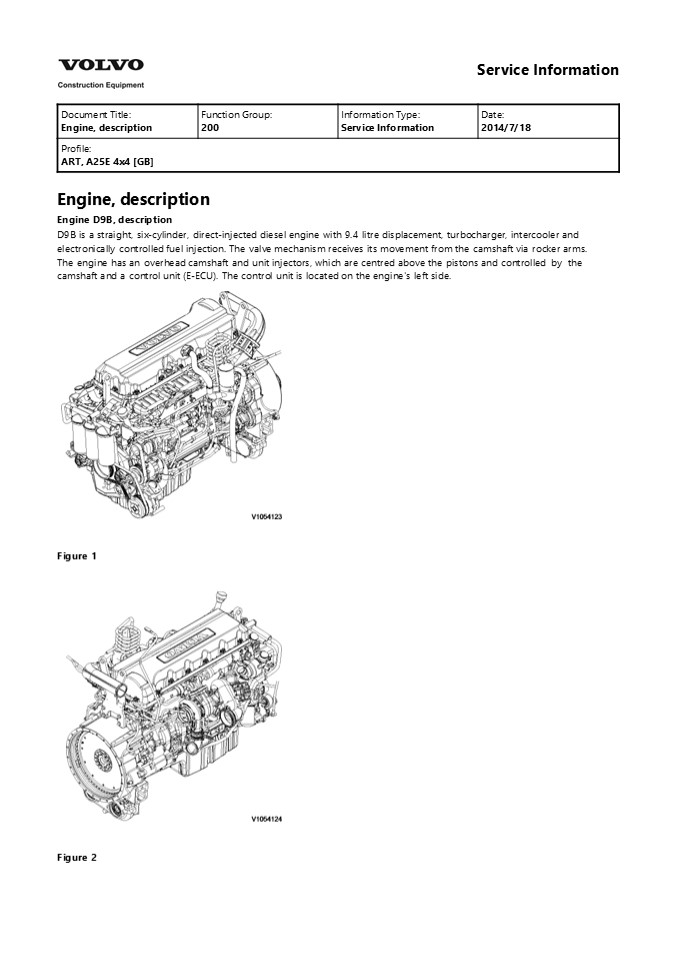
Engine, description Engine D9B, description D9B
is a straight, six-cylinder, direct-injected
diesel engine with 9.4 litre displacement,
turbocharger, intercooler and electronically
controlled fuel injection. The valve mechanism
receives its movement from the camshaft via
rocker arms. The engine has an overhead camshaft
and unit injectors, which are centred above the
pistons and controlled by the camshaft and a
control unit (E-ECU). The control unit is located
on the engine's left side.
Figure 1
Figure 2
2
Service Information
Document Title Engine, identification Function Group 200 Information Type Service Information Date 2014/7/18
Profile ART, A25E 4x4 GB Profile ART, A25E 4x4 GB Profile ART, A25E 4x4 GB Profile ART, A25E 4x4 GB
Engine, identification Identification plate
1 Engine designation, serial number, part number
and assembly plant are stamped in one field on
the engine block's left front edge. Identificatio
n plate 2 A decal with the software's ID-number,
the engine's serial number and assembly plant is
located on the valve cover to ensure
installation of correct ECU on the engine in
production. On the back of the ECU, there is a
decal indicating its hardware number. The E-ECU
is located on the engine's left side. Assembly
plants A Skövde, Sweden E Curitiba,
Brazil F Flen, Sweden L Lyon, France
Figure 1 Identification plate 3 The
certification decal is located on the valve cover
as well as on the left side, at the back of the
machine's front frame inside of the steps.
3
Service Information
Document Title E-ECU, MID 128, changing pre-programmed ECU Function Group 200 Information Type Service Information Date 2014/7/18
Profile ART, A25E 4x4 GB Profile ART, A25E 4x4 GB Profile ART, A25E 4x4 GB Profile ART, A25E 4x4 GB
E-ECU, MID 128, changing pre-programmed ECU Op
nbr 200-070 This operation also includes
required tools and times for applicable parts of
the following operations
200 E-ECU, MID 128, changing non-programmed ECU
?
- Connect VCADS Pro computer and perform 17030-3
Parameter, programming. - Use the function Save all read parameters to job
card. - Perform 200 E-ECU, MID 128, changing
non-programmed ECU step 214. - Connect VCADS Pro computer and perform 17030-3
Parameter, programming. - Program earlier read-out parameters according to
the job card.
4
https//www.ebooklibonline.com Hello dear
friend! Thank you very much for reading. Enter
the link into your browser. The full manual is
available for immediate download. https//www.eb
ooklibonline.com
5
Service Information
Document Title E-ECU, MID 128, changing non-programmed ECU Function Group 200 Information Type Service Information Date 2014/7/18
Profile ART, A25E 4x4 GB Profile ART, A25E 4x4 GB Profile ART, A25E 4x4 GB Profile ART, A25E 4x4 GB
- CU, MID 128, changing non-programmed ECU
- Op nbr 200-068
- Connect VCADS Pro computer and perform 28423-3
MID 128 ECU, programming - When instructed to connect the new control unit,
perform steps 215. - Removing EECU
CAUTION
Always follow instructions according to
Electrical system, work instructions, electronic
components 3001 Electrical system, special
instructions for servicing, electronic components
CAUTION
Always follow instructions according to
Electrical system, work instructions, electronic
components
- 2.
- Figure 1 E-ECU
- Connector EA
- Connector EB
- Screw for clamp
- Screw for cooler
- Screw for ECU
- Place the machine in service position.
- 3. Open the engine hood.
NOTICE
Turn off the electric power with the battery
disconnect switch before starting any work. Also
remove the
6
- fuse for respective component.
- Remove the three screws (3) that disconnect the
clamps from the E-ECU. - Unplug the connectors EA and EB from the E-ECU.
- Remove th screws (4) (6 pcs. ) that hold the
cooler (3). - Remove the screws (5) (4 pcs.) that hold the
E-ECU. - Carefully move aside the cooler and remove the
E-ECU. - NOTE!
- Work carefully so that hoses for the cooler are
not damaged. - Mounting EECU
- Lift in the E-ECU inside of the cooler.
- Install the screws (5) (4 pcs.) that hold the
E-ECU against the engine block.
7
Service Information
Document Title Cylinder compression, PC test Function Group 210 Information Type Service Information Date 2014/7/18
Profile ART, A25E 4x4 GB Profile ART, A25E 4x4 GB Profile ART, A25E 4x4 GB Profile ART, A25E 4x4 GB
Cylinder compression, PC test Connect the VCADS
Pro computer and carry out 21006-3 Cylinder
compression, test. (21006-3) This test indicates
if there is any deviation in compression in any
cylinder in relation to the other cylinders.
8
Service Information
Document Title Compression test Function Group 210 Information Type Service Information Date 2014/7/18
Profile ART, A25E 4x4 GB Profile ART, A25E 4x4 GB Profile ART, A25E 4x4 GB Profile ART, A25E 4x4 GB
Compression test Op nbr 210-002 9990006
Puller 9990185 Lifting tool 9996400 Impact
puller 9998599 Cleaning tool 9998248
Adapter 9998248 Adapter 9998248 Adapter 9998248
Adapter 9998248 Adapter 9998248 Adapter 9993590
Gear wheel 88880003 Bracket 9988539 Pressure
gauge 88820016 Setting tool This operation also
includes the tools and times needed for required
parts of the following actions
191 Service positions 237 Unit injector,
adjusting pretension 233 Fuel system,
bleeding 214 Valves, adjusting
? ? ? ?
- Removing
- Place the machine in service position, see 191
Service positions. - Lower the front grill and pump up the engine
hood. - Drain the cylinder head to avoid fuel in the
engine oil. Open the connection by the return
line on the cylinder head and install a hose.
Figure 1
9
4. Loosen the feed hose from the connection by
the ECU. Use an air nozzle to get out all of the
fuel. Lead the feed hose into a container Since
the feed pump will pump out fuel during the test,
the container's volume must be at least 5 litres
(1.3 US gal).
Figure 2 5. Secure the expansion tank with a
strap, and then loosen the bracket for the
expansion tank.
- Figure 3
- Remove the engine's front lifting eye. This is
done to enable installation of the lifting tool
on the rocker arm bridge. - Remove the hose from the oil trap and remove the
valve cover. - The condition for reading off correct compression
pressure is that the valve clearance is
correct. See 214 Valves, adjusting - Remove the IEGR control valve's electrical
connections and wipe clean around the control
valve. Remove the valve.
10
Figure 4 10. Loosen the bolts for the rocker arm
shaft, evenly distributed across the rocker arm
shaft to avoid shear stresses. Remove the
bolts. Lift away the rocker arm shaft with tool
9990185 and 88880003. Rocker arm shaft's weight
approx. 30 kg (66 lbs)
Figure 5 9990185 11. Clean very thoroughly
around the unit injector. Remove the electrical
connection. Remove the bolt for the attaching
yoke. Remove the injector together with the
attaching yoke. Use 9996400 Impact puller,
9990262 Adapter, and 9990006 Puller. Remove the
other unit injectors in the same way. NOTE! Place
each injector in separate new plastic bags. Mark
which cylinder they were installed in. It is
important to not mix up the injectors since they
are classed for a certain cylinder.
11
Suggest If the above button click is invalid.
Please download this document first, and then
click the above link to download the complete
manual. Thank you so much for reading
12
Figure 6 1. 9996400, Impact hammer 2. 9990262,
Adapter 3. 9990006, Puller 12. Clean the copper
sleeve with the brush/brushes included in kit
9998599.
- Figure 7
- Extension
- Brush
- Protective sleeve
13
https//www.ebooklibonline.com Hello dear
friend! Thank you very much for reading. Enter
the link into your browser. The full manual is
available for immediate download. https//www.eb
ooklibonline.com
Recommended

