

Power BI vs Tableau: Which One Fits Your Organization Best? PowerPoint PPT Presentation
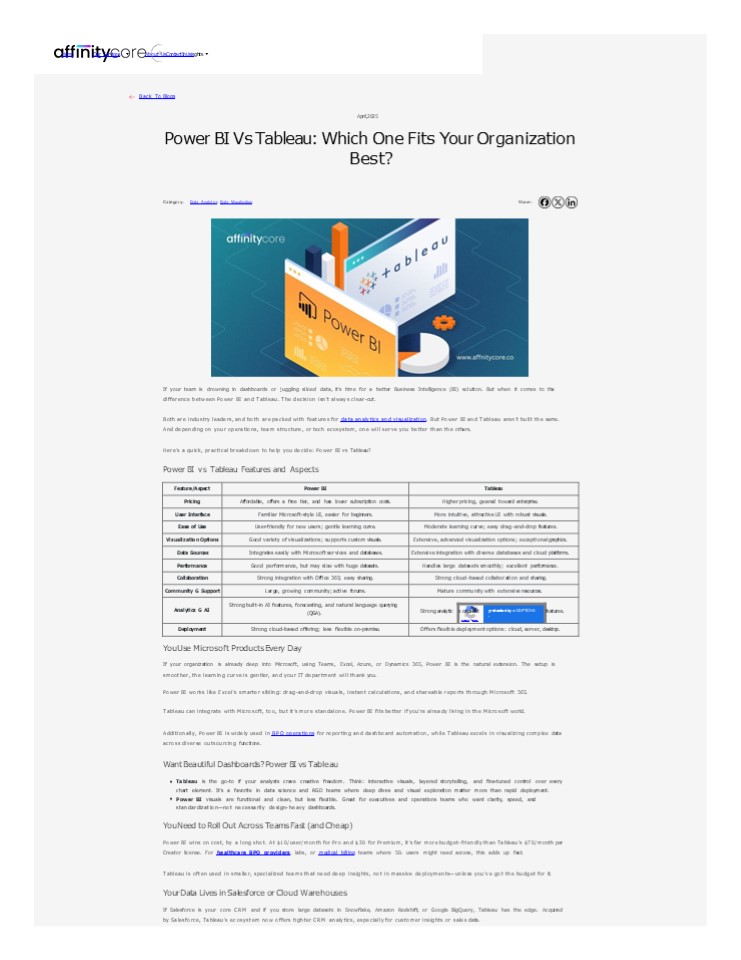
Title: Power BI vs Tableau: Which One Fits Your Organization Best?
1
Home Our Services About UsContactInUsisghts
Back To Blogs
April,2025
Power BI Vs Tableau Which One Fits Your
Organization Best?
Category Data Analytics Data Visualization
Share
If your team is drowning in dashboards or
juggling siloed data, its time for a better
Business Intelligence (BI) solution. But when it
comes to the difference between Power BI and
Tableau. The decision isnt always
clear-cut. Both are industry leaders, and both
are packed with features for data analytics and
visualization. But Power BI and Tableau arent
built the same. And depending on your operations,
team structure, or tech ecosystem, one will serve
you better than the others. Heres a quick,
practical breakdown to help you decide Power BI
vs Tableau? Power BI vs Tableau Features and
Aspects
Feature/Aspect Power BI Tableau Tableau Tableau Tableau
Pricing Affordable, offers a free tier, and has lower subscription costs. Higher pricing, geared toward enterprise. Higher pricing, geared toward enterprise. Higher pricing, geared toward enterprise. Higher pricing, geared toward enterprise.
User Interface Familiar Microsoft-style UI, easier for beginners. More intuitive, attractive UI with robust visuals. More intuitive, attractive UI with robust visuals. More intuitive, attractive UI with robust visuals. More intuitive, attractive UI with robust visuals.
Ease of Use User-friendly for new users gentle learning curve. Moderate learning curve easy drag-and-drop features. Moderate learning curve easy drag-and-drop features. Moderate learning curve easy drag-and-drop features. Moderate learning curve easy drag-and-drop features.
Visualization Options Good variety of visualizations supports custom visuals. Extensive, advanced visualization options exceptional graphics. Extensive, advanced visualization options exceptional graphics. Extensive, advanced visualization options exceptional graphics. Extensive, advanced visualization options exceptional graphics.
Data Sources Integrates easily with Microsoft services and databases. Extensive integration with diverse databases and cloud platforms. Extensive integration with diverse databases and cloud platforms. Extensive integration with diverse databases and cloud platforms. Extensive integration with diverse databases and cloud platforms.
Performance Good performance, but may slow with huge datasets. Handles large datasets smoothly excellent performance. Handles large datasets smoothly excellent performance. Handles large datasets smoothly excellent performance. Handles large datasets smoothly excellent performance.
Collaboration Strong integration with Office 365 easy sharing. Strong cloud-based collaboration and sharing. Strong cloud-based collaboration and sharing. Strong cloud-based collaboration and sharing. Strong cloud-based collaboration and sharing.
Community G Support Large, growing community active forums. Mature community with extensive resources. Mature community with extensive resources. Mature community with extensive resources. Mature community with extensive resources.
Analytics G AI Strong built-in AI features, forecasting, and natural language querying (QGA).
Analytics G AI Strong built-in AI features, forecasting, and natural language querying (QGA). Strong analytic s capabilit Privacy - Terms protected by reCAPTCHA - features.
Deployment Strong cloud-based offering less flexible on-premise. Offers flexible deployment options cloud, server, desktop. Offers flexible deployment options cloud, server, desktop. Offers flexible deployment options cloud, server, desktop. Offers flexible deployment options cloud, server, desktop.
ies advanced predictive
You Use Microsoft Products Every Day If your
organization is already deep into Microsoft,
using Teams, Excel, Azure, or Dynamics 365, Power
BI is the natural extension. The setup is
smoother, the learning curve is gentler, and your
IT department will thank you. Power BI works like
Excels smarter sibling drag-and-drop visuals,
instant calculations, and shareable reports
through Microsoft 365. Tableau can integrate with
Microsoft, too, but its more standalone. Power
BI fits better if youre already living in the
Microsoft world. Additionally, Power BI is
widely used in BPO operations for reporting and
dashboard automation, while Tableau excels in
visualizing complex data across diverse
outsourcing functions. Want Beautiful
Dashboards? Power BI vs Tableau Tableau is the
go-to if your analysts crave creative freedom.
Think interactive visuals, layered storytelling,
and fine-tuned control over every chart element.
Its a favorite in data science and RGD teams
where deep dives and visual exploration matter
more than rapid deployment. Power BI visuals are
functional and clean, but less flexible. Great
for executives and operations teams who want
clarity, speed, and standardizationnot
necessarily design-heavy dashboards. You Need to
Roll Out Across Teams Fast (and Cheap) Power BI
wins on cost, by a long shot. At 10/user/month
for Pro and 20 for Premium, its far more
budget-friendly than Tableaus 70/month per
Creator license. For healthcare BPO providers,
labs, or medical billing teams where 50? users
might need access, this adds up fast. Tableau is
often used in smaller, specialized teams that
need deep insights, not in massive
deploymentsunless youve got the budget for
it. Your Data Lives in Salesforce or Cloud
Warehouses If Salesforce is your core CRM and if
you store large datasets in Snowflake, Amazon
Redshift, or Google BigQuery, Tableau has the
edge. Acquired by Salesforce, Tableaus ecosystem
now offers tighter CRM analytics, especially for
customer insights or sales data.
2
Power BI does connect to Salesforce and cloud
warehouses, but not with the same depth or ease
of customization. Its better when your data is
inside the Microsoft ecosystem. You Want
Insights Without Needing a Data Team Power BI is
built for non-technical users. From finance leads
to operations managers, it allows anyone to pull
reports, analyze trends, and even ask natural
language questions like show me monthly
admissions by department. Thats powerful when
your team is lean or lacks dedicated
analysts. Tableau caters more to data
professionals. Its brilliant in the hands of
experts, but less approachable for casual users
without some training. Youre Working with
Complex Medical or Research Data Large genomic
datasets? Time-sensitive clinical trial data?
Tableau handles massive data volumes and complex
queries more smoothly, thanks to its Hyper Data
Engine. This makes it ideal for RGD or
institutions where analytics isnt just about
summariesits about discovering patterns and
publishing findings. Power BI performs well with
large data, too. Especially after recent
upgrades, but Tableau still has the upper hand
for intensive, multi-dimensional datasets. You
Care About AI-Powered Analytics Both tools are
investing in AI. Power BI includes built-in
features like QGA, quick insights, and AutoML.
Its useful for surfacing trends without writing
a single formula. Tableau, through Salesforces
Einstein Discovery, also brings predictive
modeling and anomaly detection into the mix. But
its positioned more for advanced use cases. If
your team wants light AI features built into
everyday reporting, Power BI is a solid pick. If
youre building models to guide strategic
clinical or financial decisions, Tableau may
offer more flexibility. So, Power BI or
Tableau? Theres no one-size-fits-all answer.
Heres the simplified breakdown Go with Power
BI if youre already in Microsoft, want a faster
rollout, and need to keep costs low across
departments. Choose Tableau if data
storytelling, cloud-scale performance, and
flexible visualizations are central to your
analytics. Both are excellent tools. The right
choice comes down to how your teams work, where
your data lives, and how much time and budget you
can allocate. Custom Solution for Data Analytics
and Visualization Whether you choose Power BI or
Tableau. At AffinityCore, we connect MedTech and
Healthcare providers with skilled professionals
who understand both the tools and your industry
to analyze and understand patient data,
operational data, and financial information. We
help you implement it right. These tools help
healthcare providers and payers gain insights
into trends, predict future needs, and improve
patient care and operational efficiency. Top
FAQs for Power BI vs Tableau IS TABLEAU BETTER
THAN POWER BI? It depends on your needs. Power BI
is better for Microsoft users and affordability,
while Tableau excels in advanced data
visualization and handling large datasets. IS
MICROSOFT REPLACING POWER BI? No, Microsoft is
not replacing Power BI. Instead, theyre
expanding their capabilities with Microsoft
Fabric (an all-in-one analytics platform). Power
BI remains the core visualization tool within
Fabric, with continued updates and
integration. IS CODING REQUIRED FOR POWER
BI? No, coding is not required for Power BI.
However, basic knowledge of DAX and Power Query
(M language) can help create advanced reports and
calculations. WHAT DOES POWER BI VS TABLEAU
COST? Tableau is generally more expensive than
Power BI. Power BI offers a free desktop version,
and its Pro version starts at 9.99 per user per
month. Tableaus Creator license, which includes
Tableau Desktop and Tableau Prep Builder, costs
70 per user per month.
?? PREVIOUS
UP NEXT ?
TAGS
Never Miss An Update Stay updated about Our news
as it happens
Enter Your Email Address
What to read next What to read next What to read next What to read next What to read next What to read next What to read next
BPO in Healthcare Enhancing Efficiency Patient Care Power BI vs Tableau Which One Fits Your Organization Best? Medical Billing Process 10 Steps in the Medical Billing Cycle
3
HEALTHCARE BPO
DATA ANALYTICSDATA VISUALIZATION
HEALTHCARE BPO
Read More
Read More
Read More
Home Our Services About Us
Subscribe to our newsletter for the latest
industry updates, insights, and exclusive content.
4
A
?
?
Enter Your Email Address
Privacy Policy
Terms G Conditions
Sitemap
2025 AffinityCore. All Rights Reserved.
Recommended

