

DAQ Tutorial (Calorimeter) Norm Buchanan May 17, 2005 PowerPoint PPT Presentation
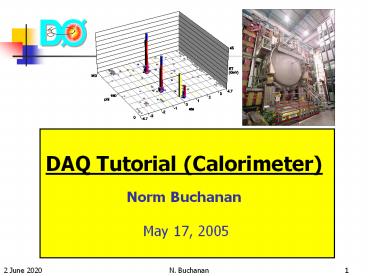
Title: DAQ Tutorial (Calorimeter) Norm Buchanan May 17, 2005
1
DAQ Tutorial (Calorimeter)Norm Buchanan May
17, 2005
2
Outline
- Calorimeter Overview
- Shifter Tasks
- GUI Descriptions
- To do during store
- To do between stores
3
D0 Detector
4
Calorimeter Overview
y
z
x
5
Overview cont
h
Liquid Argon
- Electromagnetic
- Fine hadronic
- Coarse hadronic
Scintillating
- Inter-cryostat detector
55,000 readout channels
6
Precision Readout
preamp crates
BLS card
preamp
pulser signal injection
Trig. sum
BLS Card
Bank 0
SCA (48 deep)
SCA (48 deep)
x1
Preamp/ Driver
Filter/ Shaper
Output Buffer
ADC
DAQ
BLS
SCA
x8
SCA (48 deep)
SCA (48 deep)
Bank 1
CAL cell
7
Control of System
Calorimeter
Preamplifier
Receives trigger, accelerator, clock
information Samples BLS shapers at the signal
peak and base. Keeps track of the memory location
of crossings. Generates busy signal when system
is not ready. Coordinates pulser calibration.
12 TC boards and 1 controller board is used
8
L1 Calorimeter Trigger
Cal Preamp
40 x 32 Trigger Towers 0.2 x 0.2 in Dh x Df
PrecisionReadout
Trigger Pickoff
BLS Card
Analog TT Sums
2560 differential analog Trigger pickoff signals
on detector
MCH 1
E?Et
EM EMH Compare Sums
CTFE Card
1280 EM samples 1280 HD samples
ADC
to L1 Trigger Framework
9
How is it all related?
46
48
45
49
4B
360
44
43
42
South
40
47
48
41
180
49
f
0
f
h
4A
h
0
-4.7
North
Level 3 readout crate
Physics display
Cathedral
Platform
MCH 3
Preamps (and PSs)
BLS cards (and PSs)
ADC cards (and PSs)
1 Crate per ADC crate
6 Crates per ADC crate
12 Crates
2 PS per crate (1 backup)
1 PS per 2 BLS crates
1 PS per 2 ADC crates
10
CALMUO Shifters duties
- Be familiar with the console
- Run and watch the examines
- Cal data quality
- L1 CAL examine
- Make sure all GUIs are opened
- Supply GUI, alarm display, taker, logbook etc
- Look for alarms or unusual conditions
(pinktrouble)
- Use the logbook
- fill out the end of run summary and paste plots
- note anything out of the ordinary (such as
calling expert)
- Take pedestal calibration runs between stores
- Assist expert with taking NLC calibrations
11
Calorimeter Console
Lego plot ET(?,?)
Alarms/Status
Examines and taker
Cal utilities
12
CALMUO Web Page
- Shifters guide
- On-call contacts
- Shift schedule
- Useful links
13
start_cal
A script that properly starts cal utilities
What you need to know
- start_cal all (starts all standard GUIs)
- start_cal (lists all possible arguments, when
in doubt use this)
Some useful commands
- start_cal supply (starts Supply GUI)
- start_cal dq_calo
(cal examine)
- start_cal dq_monitor
- start_cal alarm (starts alarm watcher)
- start_cal hv (starts high voltage GUI)
- start_cal l1examine_d0ol23
- start_cal D0run (change to d0run user)
- start_cal l1examine
(l1cal examine)
- start_cal rmi (starts rack monitor GUI)
- start_cal calib
(calibration GUI)
- start_cal ioc (starts IOC monitoring)
14
GUIs Alarms
start_cal alarm
- Watch out for pink (major) alarms
- Check that disabled are known disabled list
15
General Monitoring
start_cal ioc
start_cal rmi
MCH (3 for CAL)
Platform
16
Supply GUI
start_cal supply
Keep an eye on the archiver status!
17
Supply GUI cont
Individual channel
16 pages (TABS) of information
All channels
18
Supply GUI cont
Its important to be able to give details to
expert
attribute
channel
19
Supply GUI pulser
crate
driving voltage
Pattern status 0OFF 1ON
All OFF for physics running!
20
Supply GUI Shifter Mode
Pedestal subtracted zero suppression (cut 1.5 ?)
Pedestal version
Occupancy 7 to 12
Pulser status (Off for physics)
Status word should be 0x10
BLS Mode Normal -3 ticks (3x132ns)
ADC error word
21
HV GUI
Change individual channel
start_cal hv
Change all channels
Can enter voltage by hand
22
Before Store
cal_prepare_for_run is a special configuration
file that sets up the calorimeter for the coming
store.
change trigger
commissioning/cal/cal_prepare_for_run-2.4
Do not press Start in taker
taker
Do not free trigger in taker
start_daq taker
Also - check for major alarms - check
pulsers are OFF
23
During Store
Start and/or watch examines
l1examine
dq_calo
Shifter restarts with each new run
to start
Automatically starts with new run
start_cal l1examine_d0ol23
start_cal l1examine
(still keep an eye on it)
init
start
to start/restart
to stop
start_cal dq_calo
stop
start_cal dq_monitor
quit
Calorimeter
L1 Cal trigger
24
DQ_calo Overview
examine behaviour settings
plot windows
plot directory
additional diagnostics
event-type stats
noise and/or missing crates
bad cells
25
dq_calo (healthy example)
Occupancy
ltEnergygt
Powerful tool for shifter and experts!
Zero bias
Be familiar with the plots
Be alert look for changes
Jets
Paste anomalies in logbook
Compare various plots
Communicate with GM shifter
26
dq_calo (problem examples)
Bad
REALLY Bad!
BLS cable harness problem
Problem with pedestals
27
L1CalExamine
Sorry to be repetitive,
but
Be familiar with the plots
Be alert look for changes
Paste anomalies in logbook
Compare various plots
Communicate with GM shifter
One page for EM, one for HAD
Trigger ET and hits in (h,f)
28
Killing Hot Cells (with expert)
If a CAL cell is causing problems with L3 rates,
it may have to be killed.
- Discuss with captain
- Page expert
- Have coordinates of cell ready (phys. or elec.)
- In coordination with expert
start_cal D0run
start_cal HCkiller
- Ask for run to be stopped and trigger freed
- Enter coords gt Kill gt Save
- Download cal_prepare_for_run
- Resume running and make sure problem fixed!
29
End of Run
- Save histograms and paste in logbook
- Complete CALMUO checklist
- Get ready to restart l1examine
- If store ends, set MUON HV to STANDBY
- CAL HV stays up always
30
Between Stores
- Perform pedestal calibration
- No beam in machine (ask Captain)
- If time is short take gain 8 only otherwise
take gain 1 as well
- Keep system running, monitor examines
- Help out experts
- Assist with NLC ramp runs
- During access assist with running diagnostics
- Make entries in logbook
- After any changes be sure pedestals are taken
- Shift cancellation
- During extended Tevatron downtime shifts may be
cancelled
- Check with Captain, CAL expert, and MUON expert
first
31
Pedestal Calibration
Select Cal
Select Pedestal
Ask for CAL and SMT crates
Use taker to start each run
Never stop calib run with taker!
After runs taken, give back SMT
Record run s in logbook
If Ped Diff plot looks bad, page expert
Link pedestals
Paste Ped Diff plots in logbook
How to run GUIs
start_cal D0run
Follow instructions in manual
start_cal calib
32
Good Pedestals
Gain 8
Change (ADC counts)
Gain 1
Pedestal Value
Pedestal RMS
33
Post-repair Pedestals
Typical of hardware change
Watch edges
34
Example Log Entry
- Starting calorimeter pedestal calibration run.
- SMT is off.
- Run 195816 x8, run 195817 x1. These two runs went
OK.
Bad Channels 3 1 3 0 6 578.11 63.37 576.80 55.25
4567.73 18.30 4 E-ped8 4 9 5 2 11 579.97 99.99
575.42 50.72 4586.80 66.11 4 E-ped8 Calibration
looks OK to me so I linked the pedestals.
35
Summary
- All details of shifter duties and troubleshooting
can be found in the CAL shifters guide (white
binder or web) - If in doubt page expert!
Recommended

