

The Animal Movement Program: Integrating GIS with Spatial Analysis Of Animal Movements PowerPoint PPT Presentation
1 / 33
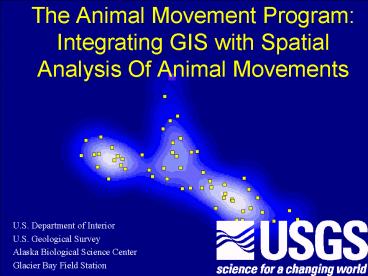
Title: The Animal Movement Program: Integrating GIS with Spatial Analysis Of Animal Movements
1
The Animal Movement ProgramIntegrating GIS with
Spatial Analysis Of Animal Movements
- U.S. Department of Interior
- U.S. Geological Survey
- Alaska Biological Science Center
- Glacier Bay Field Station
2
The Animal Movement Program
- The need for a program integrating GIS and animal
movement analysis - What Animal Movement can do
- How do I make it run on my computer?
- The next version
3
Other movement programs
- Homer
- CalHome
- MacPaal
- Antelope
- Wildtrak
- Telem
- Ranges V
- Many single-function programs
4
What was missing?
- Integration with GIS (none)
- A full suite of analysis functions (Ranges?)
- Ability to handle a wide variety of data (none)
- Extensibility (none)
- Ability to run on all major operating systems and
processors (none)
5
Animal Movement is an ArcView Extension
- ArcInfo/ArcView is the most widely used GIS
program - ArcView is available for all major operating
systems and processors - ArcView has a versatile built-in object oriented
programming language - Extensions to ArcView can be loaded and unloaded
easily
6
Animal Movement
- Will utilize any type of point data that can be
brought into ArcView - Works in any projection
- Works on any selected subset of data
- Produces Coverages, Grids, or Tables i.e.
all output is compatible with ArcView - Except Gin Gout2 G Garbage
7
Changes to the ArcView View Doc
Buttons
Menu
Tools
8
Most of The Sample Data
Dungeness Crab
Pacific Halibut
9
MCP Home Range
Minimum Convex Polygon
10
Kernel Home Range Analysis
11
Kernel Home Range Analysis
12
Harmonic Mean
Harmonic Mean Point Theme Shaded by Z values
Harmonic Mean Raster Theme
13
Jennrich-Turner Home Range
95 ellipse
Minor axis
Major axis
14
Bootstrapping Home Range Sample Size
15
Site Fidelity Test
Monte Carlo simulated random walk
Actual movements, within MCP home range
16
Site Fidelity with and without boundaries
17
Circular Statistics
Vector histogram with mean vector in red
Movement path
18
Text output from theCircular Statistics Function
19
Histogram Production
20
Outlier removal and Probability MCPs
21
Path Graphics
Obsrv_dateThu July 30 085526 1992 Number of
days since last sample5 Distance traveled 89.86
22
Point to Polyline Generation
23
Point Buffer
24
Random Selection
25
Generate Random Points
Polygon
26
Spider Analysis
From all points to the harmonic mean
27
Spider Analysis
From all Points to the nearest Point or
Polygon in another Coverage
28
Other View Tools
- Point statistics (36 calculated values)
- Tests of complete spatial randomness
- Nearest neighbor analysis
- Classify points by polygons
- Calculate distances between themes
29
Other Attribute-based Tools
- Table export
- Aggregate/summarize attributes
- Sort attribute tables
- Calculate cumulative fields
- Calculate area, perimeter, length in projected
units
30
What else can Animal Movement be used for?
- Analysis of many point phenomena
- LSCV is the best method of determining Kernel
smoothing factor to use in Spatial Analyst
Extension density estimation - Odds and ends are useful for filling various
holes in ArcViews capabilities
31
About Animal Movement
32
To Run Animal Movement...
- Have ArcView 3.0 or 3.1 installed
- Download it at www.absc.usgs.gov/glba/gistools.htm
- Put it in the ext32 folder
- If you want to use the Raster functions, such as
the Kernel Home Range, then you will need Spatial
Analyst - Select Spatial Animal Movement from the
Extensions menu choice - Have a fast machine or patience for a few
functions
33
Animal Movement Ver. 2.0
- Batch Processing
- Habitat Analysis Functions
- Compositional Analysis
- Availability Analysis
- Spider/Distance Analysis
- Classify Points by Polygons
- More Random Generation Tools
- Dirichlet Tesselation and Delaunay Triangulation
- Static and Dynamic Interaction
- A Few Statistics
- Spearmans Rho
- Mann-Whitney U test
- Wilcoxon Matched-Pairs Signed-Rank Test
- Regression
Recommended

