

Spark Web 2'0 Tools for Communication and Collaboration PowerPoint PPT Presentation
1 / 21
Title: Spark Web 2'0 Tools for Communication and Collaboration
1
David Grogan Manager, Curricular Technology
Group UIT Academic Technology Tufts University
Spark Web 2.0 Tools for Communication and
Collaboration
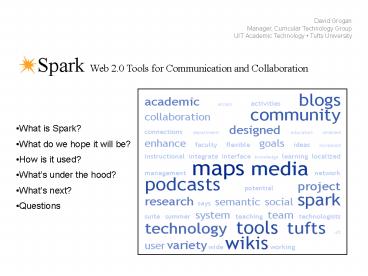
- What is Spark?
- What do we hope it will be?
- How is it used?
- Whats under the hood?
- Whats next?
- Questions
2
What is Spark?
Spark Web 2.0 Tools for Communication and
Collaboration
- An extensible suite of highly flexible, web-based
tools for communication and collaboration that
support teaching, learning, research, and other
co-curricular activities. - A little history APT Grants
3
What is Spark?
Spark Web 2.0 Tools for Communication and
Collaboration
- Freely available to entire community.
- Tool set currently includes
- Wikis (Confluence)
- Blogs (MovableType)
- Podcast Publisher (homegrown)
- Forums (JForum)
- Maps (Google Maps/homegrown)
- Media Annotator (homegrown)
- SparkMeetings (Adobe Connect Pilot)
4
What is Spark?
Spark Web 2.0 Tools for Communication and
Collaboration
- Launched in August 2006.
- Continues to grow in features and use.
- Won a Campus Technology Innovators Award in 2007.
- Core project team includes
- Project manager
- Lead developer
- Interactive media designer
- All sharing support roles
5
What is Spark?
Spark Web 2.0 Tools for Communication and
Collaboration
- Baseline features of the commercial/opensource
products we use - Must allow for LDAP integration.
- Must allow for customization of interface.
- Must have robust API.
- Must have access to source code and database.
6
What is Spark?
Spark Web 2.0 Tools for Communication and
Collaboration
- Common features across tools as implemented in
Spark - Single sign on using Tufts LDAP directory.
- Easy one-click creation of new items.
- Tufts directory integrated for setting individual
permissions. - World, Tufts-wide, and private permissioning.
- Tagging
7
What is Spark?
Spark Web 2.0 Tools for Communication and
Collaboration
8
What do we hope Spark will be?
Spark Web 2.0 Tools for Communication and
Collaboration
- A Tufts-based localized network of people and
ideas. - (getting there slowly)
9
How is Spark being used?
Spark Web 2.0 Tools for Communication and
Collaboration
10
How is Spark being used?
Spark Web 2.0 Tools for Communication and
Collaboration
- Some Interesting Recent Use Cases
- Wikis Workflow and social networking for citizen
scholars. - Blogs Anthropology of Media
- MediaMarkup Feedback on patient examinations.
- SparkMaps Mapping Tufts conservation medicine
projects. - Podcasts Podcasting biology lectures.
11
What is under the hood?
Spark Web 2.0 Tools for Communication and
Collaboration
- Evolution of our systems infrastructure
- Started small, using VMWare for 3 dev systems and
3 prod systems (wikis, blogs, spark) - Expanded incrementally, adding dev and prod VMs
for new services as needed - Using central resources whenever viable (network
storage, authentication)
12
What is under the hood?
Spark Web 2.0 Tools for Communication and
Collaboration
- Virtualization is one of our keys to staying
agile, keeping costs low, and maximizing
scalability within our constraints.
13
What is under the hood?
Spark Web 2.0 Tools for Communication and
Collaboration
- Next generation infrastructure
- Greater utilization of central resources
- Better support for dev-test-staging-production
workflow and automation - Explore opportunities for improvements in
performance, load balancing, availability, change
management using advanced VMWare functionality
14
What is under the hood?
Spark Web 2.0 Tools for Communication and
Collaboration
- Typical Tool Development Effort
- 5 Pages, 3500 Lines of Code
15
What is under the hood?
Spark Web 2.0 Tools for Communication and
Collaboration
- Development Approach
- 1.5 Programmers, Designer, Manager, Sys. Admin
Support. - 2 Calendar Months
- JSP, Tomcat, MySQL, YUI, JIRA, SVN, etc.
- Secret release
16
What is under the hood?
Spark Web 2.0 Tools for Communication and
Collaboration
- Development Challenge Always Something New!
- MediaMarkup uses Adobe Flex
- SparkMaps uses Google Map API.
- Always incorporating JavaScript libraries.
- Drag and drop, Ajax tables, etc.
- Impacts Schedule, Plan, Design, Staff
17
What is under the hood?
Spark Web 2.0 Tools for Communication and
Collaboration
- Future Directions
- Ajax is good
- For the user and the code.
- Focus on reducing LOC for tools.
- Shared Java database layer.
- Shared JSP files.
- Stick with existing technology suite.
- Automated testing?
18
Whats difficult?
Spark Web 2.0 Tools for Communication and
Collaboration
- Supporting people beyond the basics.
- Finding ways to market the site to students.
- Competition from freely available 3rd party sites
(e.g. Google, Wordpress etc.)
19
Whats Next for Spark?
Spark Web 2.0 Tools for Communication and
Collaboration
- A new user interface.
- Bring activity to the front.
- Start connecting people and content.
- Better communication and outreach.
20
Whats Next for Spark?
Spark Web 2.0 Tools for Communication and
Collaboration
21
Any Questions?
Spark Web 2.0 Tools for Communication and
Collaboration
- Contact David Grogan (david.grogan_at_tufts.edu)
- Some of my own
- What are you doing with these tools?
- How have you been successful in marketing tools
to your students? - How have you been successful in scaling support?
Recommended

