

Carbohydrate Substructure Search PowerPoint PPT Presentation
1 / 2
Title: Carbohydrate Substructure Search
1
Carbohydrate Substructure Search
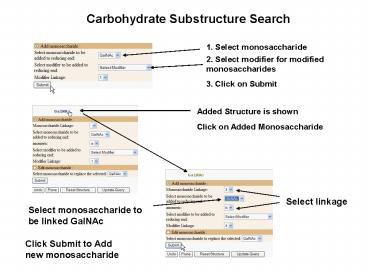
1. Select monosaccharide
2. Select modifier for modified monosaccharides
3. Click on Submit
Added Structure is shown
Click on Added Monosaccharide
Select linkage
Select monosaccharide to be linked GalNAc
Click Submit to Add new monosaccharide
2
Carbohydrate Substructure Search
New structure after adding monosaccharide is
displayed
To a delete monosaccharide, click on the
monosaccharide and click on Prune
Click Update Query when done
To undo last addition click Undo
To reset structure click Reset Structure
Recommended

