

Universal Accessibility Design and Support Considerations for an Aging Population PowerPoint PPT Presentation
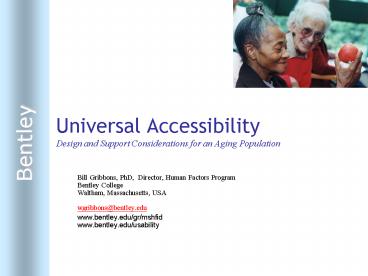
Title: Universal Accessibility Design and Support Considerations for an Aging Population
1
Universal AccessibilityDesign and Support
Considerations for an Aging Population
- Bill Gribbons, PhD, Director, Human Factors
ProgramBentley CollegeWaltham, Massachusetts,
USA - wgribbons_at_bentley.edu
- www.bentley.edu/gr/mshfid
- www.bentley.edu/usability
2
Overview
- Define universal accessibility
- Describe the aging population
- Discuss the characteristics and requirements of
the aging population - Discuss what is best practice in this area - both
research and information design - Make a business case for accommodating the needs
of this rapidly expanding market
3
A Couple of Stories..
- Harold, bring me my screwdriver
- Lost in IVR
- Two and a Half Popcorn
4
Accessibility
- Our mission is to provide full and complete
access to technology and information design
through a deeper understanding of a disability.
Through this understanding, the information
designer provides appropriate performance support
and design accommodations. We assume that the
majority of these accommodations will improve
usability for all users.
5
Aging Population
- The United States Census Bureau projects the
number of people age fifty-five and older will
grow by 73 by the year 2020. - The over sixty-five population is anticipated to
rise from 15.5 of the EU population in 1995 to
22.4 by 2025. - Every day 6,000 Americans turn 65
6
(No Transcript)
7
More Facts
- There are half a billion people age 50 in the
world today - The worlds age 65 population is increasing by
800,000 per month - The number of the worlds 80 is growing more
rapidly than the elderly population as a whole. - The United States has more than 9.2 million
citizens who are age 80 - Half of the worlds oldest elderly (80 years)
live in six countries China, the U.S., India,
Japan, Germany, and Russia - In developed regions, 74 percent of age 65
individuals are urban dwellers
8
Opportunities
Consumers over 45 account for more than half the
total consumer spending in the United States
- Healthcare
- Retail
- Financial Services
- Transportation
- Telecommunications
- Government
9
The Sad Truth
Designing for our future selves
As we age, our bodies start to change,
physically and mentally
- Vision
- Hearing
- Motor
- Cognitive
- Aging is a dynamic disability with each
individual experiencing the effects of aging to
varying degrees
10
Vision
Disease and Age-related Decline
- Cataracts, glaucoma, and macular degeneration
- Presbyopia beginning at the age of 45
- Lens becomes less flexible
- Lens yellows
- Less light passes through the lens
- Lowered visual acuity
- Increased sensitivity to glare
- More susceptible to fatigue and eyestrain
11
Accommodations
- Larger text sizes (12-14 point) in static
displays - Moderate to heavier weights avoid kerning and
condensed faces - Easy access to changing size in dynamic displays
- Avoid violet, blue, light grays and green tones
- Increase contrast through higher brightness and
saturation - Avoid yellow in foreground (e.g., text)
- Avoid similar tones or variations of a single hue
- Maintain maximum contrast between foreground and
background no background textures - Avoid fine details in typeface or illustration
12
Type Size
Allow easy re-sizing of type on the screen. In
fixed displays, use 13 points or larger. Use
heavier weights to increase contrast and avoid
type faces with fine lines
Type style and weight Contrast Background
Color
Type on a textured background lowers Legibility
for the elderly
13
Auditory
- Slow decline in sensitivity to high frequencies
- Lowered ability to discriminate between tones
- More susceptible to masking
- Decreased auditory selection separating speech
from ambient noise
14
Motor
- Increased occurrence of arthritis
- Decline in fine motor control, eye-hand
coordination - Increased time to complete motor tasks
- Increase the size of buttons, targets, and
sensitivity zone - Provide tactile feedback to confirm action
15
Cognitive
- Decline in working memory capacity
- Problematic in heavy workload situations such as
decision-making, problem-solving, navigation, and
learning - Long-term memory is largely intact, barring
disease - Decrease in ability to differentiate between
categories and complex terms
16
Accommodations
- Limit information to the essential
- Integrate the users mental models
- Headings should trigger existing models
- In learning applications, make links to existing
knowledge - Provide all information necessary to support
decision-making in a single eye-scan - Avoid recall tasks
- Self complete operations whenever possible
- Provide confirmation and feedback
- Support navigation through simple and known
information architectures - Employ persistent concept maps
- Maintain consistency
17
Conclusion
- Accessibility improves usability for all users
- Aging populations will represent a large,
profitable market for technology products - The design community should assume a leadership
role in embracing and accommodating this
population
Recommended

