

Talk about computer that you will provide for user PowerPoint PPT Presentation
Title: Talk about computer that you will provide for user
1
Talk about computer that you will provide for user
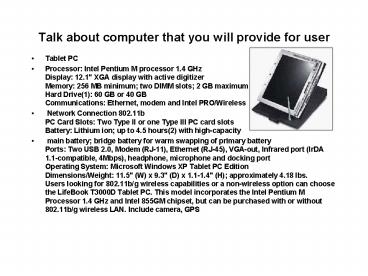
- Tablet PC
- Processor Intel Pentium M processor 1.4 GHz
Display 12.1" XGA display with active digitizer
Memory 256 MB minimum two DIMM slots 2 GB
maximum Hard Drive(1) 60 GB or 40 GB
Communications Ethernet, modem and Intel
PRO/Wireless - Network Connection 802.11b PC Card Slots Two
Type II or one Type III PC card slots Battery
Lithium ion up to 4.5 hours(2) with
high-capacity - main battery bridge battery for warm swapping
of primary battery Ports Two USB 2.0, Modem
(RJ-11), Ethernet (RJ-45), VGA-out, Infrared port
(IrDA 1.1-compatible, 4Mbps), headphone,
microphone and docking port Operating System
Microsoft Windows XP Tablet PC Edition
Dimensions/Weight 11.5" (W) x 9.3" (D) x
1.1-1.4" (H) approximately 4.18 lbs. Users
looking for 802.11b/g wireless capabilities or a
non-wireless option can choose the LifeBook
T3000D Tablet PC. This model incorporates the
Intel Pentium M Processor 1.4 GHz and Intel 855GM
chipset, but can be purchased with or without
802.11b/g wireless LAN. Include camera, GPS
2
scenario (or description) of how a user would use
the system
- Scenario Name Hi-way Car Crash
- Object Lee Driver1, Jon Driver 2, Bill
Police-Officer - Accident flow
- 1.When an accident happens, the control center
send a message to the officer who patrols that
area through the GPS which is equipped in Tablet
machines. - 2. Bills Tablet PC suddenly alarms and pops up
the screen what happened his patrolling area. - 3. Bill goes to this area and looks at the
accident size. If he needs to help, he sends a
message to an other officer using the Tablet
network such as fire offices, hospitals and etc.. - 4. He opens The Alabama Crash Report Program
and then he takes a picture for an accident using
tablet-installed camera and removes cars into
shoulder. - 5. He listens to the situation both people and
then inputs data - 6. He finishes inputting all data and then
uploads data to the control center
3
some instruction or short manual to tell the user
how to interact with system
- It is easy to control because they use window
system which is already familiar to the officer
and application is very simple. - 1. First is clicking the accident report icon.
- 2. First screen is login screen, and you can fill
out the ID and Pass.
4
some instruction or short manual to tell the user
how to interact with system
- 3. After log-on, tablet PCs show the input data
field. They consist of a lot of check box, list
box and text box. However it just only click or
fill out form fields.
5
some instruction or short manual to tell the user
how to interact with system
- 4. It just one screen because Tablet screen is
usually smaller notebook screen. If you want to
move to other sections, you just click tab.
This button is tab
6
some instruction or short manual to tell the user
how to interact with system
- 5.Vehicle part is some different other forms.
They include capture function it need to evidence
how damage the car or whos fault. To capture,
just click the capture button.
This is the capture button
7
some instruction or short manual to tell the user
how to interact with system
- 6. Click the capture button, then show the this
screen. - Capture button capture screen
- Save button It save the data
- Cancel button cancel this picture
- Exit button exit this screen and go back to
previous screen
8
some instruction or short manual to tell the user
how to interact with system
- 7. After finishing the input data, you click the
send button. After all this data goes to the
control center.
This button exit program
If data is incorrect then click this button and
then it renew
Send data to control center
Recommended

