

Meeting your Institutional Training Requirements using the Collaborative Institutional Training Init PowerPoint PPT Presentation
1 / 22
Title: Meeting your Institutional Training Requirements using the Collaborative Institutional Training Init
1
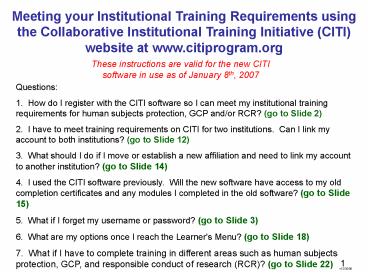
Meeting your Institutional Training Requirements
using the Collaborative Institutional Training
Initiative (CITI) website at www.citiprogram.org
These instructions are valid for the new CITI
software in use as of January 8th, 2007
Questions 1. How do I register with the CITI
software so I can meet my institutional training
requirements for human subjects protection, GCP
and/or RCR? (go to Slide 2) 2. I have to meet
training requirements on CITI for two
institutions. Can I link my account to both
institutions? (go to Slide 12) 3. What should I
do if I move or establish a new affiliation and
need to link my account to another institution?
(go to Slide 14) 4. I used the CITI software
previously. Will the new software have access to
my old completion certificates and any modules I
completed in the old software? (go to Slide 15)
5. What if I forget my username or password?
(go to Slide 3) 6. What are my options once I
reach the Learner's Menu? (go to Slide 18) 7.
What if I have to complete training in different
areas such as human subjects protection, GCP, and
responsible conduct of research (RCR)? (go to
Slide 22)
v12/30/06
2
Q1. How do I register with the CITI software so I
can meet my institutional training requirements
for human subjects protection, GCP and/or RCR?
- If you have not yet created a username and
password to use the CITI site, go to Slide 4
now. - If you have already registered with CITI in the
last 3 years, go to slide 3.
3
Enter the site with an existing username and
password
- If you have already registered with CITI in the
last 3 years, you can continue to use that
username and password- just enter your username
and password on the home page (blue arrows
below), then click "submit" and follow the
prompts. You will then be taken to the Learner's
Menu. Note If you created a username and
password but have now forgotten them, click on
the "Forgot username or password" link to the
left (brown arrow below) and follow the prompts.
If that approach is unsuccessful, call your IRB
administrator or the CITI help desk at the
305-243-7970.
4
How to create a username and password to enter
the CITI site the first time
- Step 1. To obtain access to the CITI site the
first time, click on the "Register for the CITI
Course" link. go to the next slide
5
Step 2
- Next, click on the down arrow (circled below)
next to the drop-down box category that will
include your institution. In the example below,
the Participating Institutions text box has been
opened to show the list of all institutions.
Scroll down until you find your institution, then
click on it. Finally, click on the blue "Submit"
button below (blue arrow). go to the next slide
6
Step 3
- Next, choose a username and password, following
the guidelines provided. Most people use their
email address as their username. The copies of
the password must match before you can continue.
When finished, click the "Submit" button. go to
the next slide
7
Step 4
- Next, provide your first and last name, then your
email address. The email address will be used a)
by the site to send you a reminder when it is
time to re-enter the site and take more
coursework, b) by the site to send a forgotten
username and/or password, and c) by your local
administrators to contact you as needed. When
finished, click the "Submit" button. go to the
next slide
8
Step 5
- Next, provide contact and other information
requested by the institution. Fields with marked
to the left with a red asterisk must be
completed. Others are optional. When finished,
click on the "Submit" button. go to the next
slide
9
Step 6
- On the next page, scroll down (to questions 2, 3,
4, and 5 for IACUC) and answer the one or more
enrollment questions that will help the software
place into one or more learner groups and develop
the appropriate curriculum for you. Questions may
allow only one response to be selected per
question (radio buttons), or may allow multiple
responses to be selected (check boxes). Once you
are finished, click the "Continue" button at the
bottom. go to the next slide
Scroll DOWN
10
Step 6 (continued)
- Answer the one or more enrollment questions that
will help the software place into one or more
learner groups and develop the appropriate
curriculum for you. Questions may allow only one
response to be selected per question (radio
buttons), or may allow multiple responses to be
selected (check boxes). Once you are finished,
click the "Continue" button at the bottom. go
to the next slide
Scroll DOWN
11
Step 7
Now you have a chance to affiliate yourself with
one or more additional institutions. Click "yes"
if you know a second institution participates in
CITI or if you want to scan a list of
participating institutions to find out. You will
be taken back through the process shown beginning
on Slide 5 of this file. Emory faculty that
have a VA appointment will need to be affiliated
with the VA also. Once you have linked your
account to all affiliated institutions, you have
completed the registration process and will be
taken to the Learner's Menu. If you want to see
the options available on the Learner's Menu, go
to Slide 18.
12
Q2. I have to meet training requirements on CITI
for more than one institution. Can I link my
account to both institutions and complete
training for both with one account?
- Yes- you can affiliate yourself with any number
of institutions that participate in the CITI
training program. When you first register, you
will be given an opportunity to affiliate
yourself with multiple institutions (see Slide
11). But you can add or delete institutional
affiliations any time using links on the
Learner's Menu, which you reach after a)
successfully finishing the CITI registration
process to create a new account (see Slide 4) or
b) using an existing username and password to log
back into the CITI site (see Slide 3). You will
have a separate grade book for each institution,
and the software tracks your progress through
each curriculum independently. However, you are
given credit for completing a module in all grade
books in which it appears. For instance, if you
complete a module in a university grade book and
the same module is required in a VA grade book,
you get credit for that module in the VA grade
book as well, and vice versa. The next slide
shows relevant portions of the Learner's Menu and
the location of the links used to add or delete
institutional affiliations. - Technical note The new software can now keep
track of different expiration times for
certificates awarded in different institutions.
For instance, VA has an annual requirement for
training while many universities have a a
biennial or triennial requirement. The software
tracks the expiration of each institution's
completion certificate independently and will
prompt the learner by email to re-enter the CITI
site when the expiration of each completion
report is imminent.
13
To affiliate yourself with another institution,
click on the link circled near the top of the
screen shot above. To remove an affiliation, use
the link circled in the list of Learner Utilities
for that institution.
14
Q3. What should I do if I move or establish a new
affiliation and need to link my account to
another institution?
- Answer- you can add or delete institutional
affiliations any time using links on the
Learner's Menu, which you reach after a)
successfully finishing the CITI registration
process to create a new account (see Slide 4)
or b) using an existing username and password to
log into the CITI site (see Slide 3). You will
have a separate grade book for each institution,
and the software tracks your progress through
each curriculum independently. However, you are
given credit for completing a module in all grade
books in which it appears. For instance, if you
complete a module in a university grade book and
the same module is required in a VA grade book,
you get credit for that module in the VA grade
book as well, and vice versa. The next slide
shows relevant portions of the Learner's Menu and
the location of the links used to add or delete
institutional affiliations. - Technical note The new software can now keep
track of different expiration times for
certificates awarded in different institutions.
For instance, VA has an annual requirement for
training while many universities have a a
biennial or triennial requirement. The software
tracks the expiration of each institution's
completion certificate independently and will
prompt the learner by email to re-enter the CITI
site when the expiration of each completion
report is imminent.
15
To affiliate yourself with another institution,
click on the link circled near the top of the
screen shot above. To remove an affiliation, use
the link circled in the list of Learner Utilities
for that institution.
16
Q4. I used the CITI software previously. Will
the new software have access to my old completion
certificates and any modules I completed in the
old software?
- Answer- All certificates of completion earned in
the old software after March 2004 are accessible
in the new software, and records of any modules
completed in the old software are transferred and
credited in the new software. The next slide has
a screen shot of the Learner's Menu showing the
links used to view information about your module
and certificate completion history in the new
software. - Technical note To receive credit for a module
taken previously in a current curriculum, it must
have been completed within one half of the
expiration period of the current certificate
curriculum you are now working through. For
instance, if you are working on an institutional
curriculum that expires every 2 years, then the
software will check to see if you have completed
any of the required or elective modules within
the past 1 year (one half of 2 years). If so,
you will be credited with completing that module
in the grade book.
17
See a list of all modules you have completed in
the old and new software for this institution.
View current curriculum status and view/print a
completion certificate earned in the new software.
See and print completion certificates earned in
the old software after April 2004.
18
Q6. What are my options once I reach the
Learner's Menu?
- Answer- Screen shots of the Learner's Menu appear
on the next slides with an explanation of each
section of the menu and each link.
19
Learner's Menu Overview
Links addressing general navigation and account
information unrelated to specific institutions or
institutional curricula.
Links addressing the curriculum and contact
information for institution 1 (in this case, the
Decatur VAMC)
Links addressing the curriculum and contact
information for institution 2 (in this case,
Emory University)
20
Top Section of Learner's Menu
See announcements and answers to frequently asked
questions (FAQ)
Return to the Learner's Menu from most screens or
log off the CITI website
Click to affiliate yourself with another
institution and meet coursework requirements of
that institution.
Don't like your username or password, change it!!!
Get info on purchasing CME/CEU credits through
the University of Miami
21
Links for each institution on the Learner's Menu
Click to answer the enrollment question(s) again
for this institution and change your curriculum.
Click to enter the grade book and take required
modules for this institution
See what this institution wants you to know
before you take its required curriculum
Review or change your contact and profile
information for this institution.
See a list of all modules you have completed in
the old and new software for this institution.
View current curriculum status and view/print a
completion certificate earned in the new software.
Click to remove your affiliation with this
institution. The contact and other information
is archived rather than deleted in case you need
to affiliate again with this institution.
See and print completion certificates earned in
the old software after April 2004.
22
Q7. What if my institution wants me to complete
training in different areas such as human
subjects protection, GCP, and responsible conduct
of research (RCR)?
- Answer- The enrollment questions are designed by
your institution to place you in the proper
courses based upon your role in human or other
research. Depending on how your institution
designs the curriculum, you might have one grade
book that contains the required modules in all
training areas, or you might have one grade book
for each area. The new software uses one grade
book per completion report, so if your
institution wants just one completion report to
cover all the coursework you must take, then you
will have only one grade book. And if your
institution wants a separate completion report
for each of three training areas (eg Human
Subjects Protection, GCP, and RCR), then you will
have three grade books. Regardless, look for the
bright red "Grade book" link on the Learner's
Menu to open a grade book and start and complete
your required coursework. Repeat for all other
grade books present. In the example below, the
learner has two grade books for Great Central
University- one for human research and another
for GCP.
Recommended

