

From Quarks to the Cosmos: Enabling Scientific Breakthroughs at PSC PowerPoint PPT Presentation
1 / 27
Title: From Quarks to the Cosmos: Enabling Scientific Breakthroughs at PSC
1
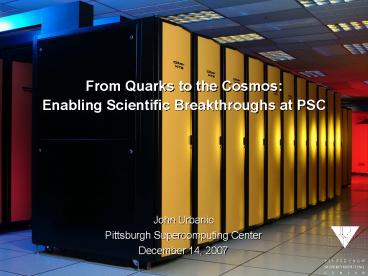
From Quarks to the CosmosEnabling Scientific
Breakthroughs at PSC
John UrbanicPittsburgh Supercomputing
CenterDecember 14, 2007
2
Pittsburgh Supercomputing Center
ETF (Rachel) 512GB Main Memory
XT3 (BigBen)
Visualization Nodes NVidia Quadro4 980XGL
Storage Cache Nodes 100 TB
Storage Silos 2 PB
DMF Archive Server
3
History of first or early systems
4
66.4 of BigBen Utilization Requires 1024 or More
Cores
5
Major National Resource for large-scale
computation
- 100 people- primarily a service for the national
community, dedicated to enabling new science
through high performance computing - Funded primarily by NSF
- We are also an NIH Research Resource (National
Resource for Biomedical Supercomputing) - Have machines dedicated to biomedical research
- Of all the NSF Centers, we do the largest
fraction of biomedical work - 15 people in biomedical group-Cell modeling,
large-scale visualization, bioinformatics, - structural biology
6
- Enabling All Fields of Science
7
BigBen Allocations March 2007 LRAC/MRAC Awards
(1)
March 07 Allocated 13,083,600 SUs March 07
Requested 22,407,685 SUs
- Colin Morningstar 3,000,000(Carnegie Mellon
University MPS/PHY)Monte Carlo Ensemble
Generation for Hadronic Physics on Anisotropic
Lattices - Juri Toomre 2,275,000 (Univ. of Colorado,
Boulder MPS/PHY)Coupling of Turbulent
Compressible Convection with Rotation - Thomas Jordan 1,600,000 (USC GEO/EAR)Southern
California Earthquake Center (SCEC) Earthquake
Simulation Project - Zulema Garraffo 1,593,000 (University of Miami
GEO/OCE)Ocean Climate Variability Simulated by
the Hybrid Coordinate Ocean Model - Alexei Kritsuk 768,000 (University of
California San Diego MPS/AST)Testing the
Concordance Model of Cosmological Structure
Formation - Mordecai-Mark Mac Low 740,000 (American Museum
of Natural History MPS/AST)Formation of Stars
and Stellar Clusters in the Turbulent
Interstellar Medium - Thomas Cheatham 365,000 (University of Utah
CIE/CDA)Insight into Biomolecular Structure,
Dynamics, Interactions, and Energetics from
Simulation
8
BigBen Allocations March 2007 LRAC/MRAC Awards
(2)
- Shanhui Fan 492,000 (Stanford MPS/DMR)
Computational Micro and Nano-Photonics - B. Montgomery Pettitt 500,000 (University of
Houston MPS/CHE)Salt Effects in Solutions of
Peptides and Nucleic Acids - George Karniadakis 300,000 (Brown University
ENG/CTS)Hybrid Spectral Element Algorithms
Parallel Simulations of Turbulence in Complex
Geometries - Chi Yu Hu 300,000 (California State University,
Long Beach MPS/PHY)Multichannel Scattering
Cross Sections via the Faddeev Method - Natalia Gondarenko 236,000 (University of
Maryland GEO/ATM)Mesoscale Structuring of High
Latitude Plasma Patches - James Lewis 200,000 (West Virginia University
MPS/DMR)The dynamical behavior of materials,
including lattice dynamics, electron-hole
recombination, and molecular dynamics
9
BigBen Allocations March 2007 LRAC/MRAC Awards
(3)
- Alexander MacKerrell 150,000 (University of
Maryland BIO/MCB)Atomic Detail Investigations
of the Structural and Dynamic Properties of
Biological Systems - John Kim 150,000 (University of California, Los
Angeles ENG/CTS)Numerical Study of Turbulent
Boundary Layers - Charles Goodrich 100,000 (Boston University
GEO/ATM)Center for Integrated Space Weather
Modeling - John Joannopoulos 100,000 (MIT MPS/DMR)Ab
Initio Simulations of Materials Properties - Michael Norman 100,000 (University of
California, San Diego MPS/AST)Testing the
Concordance Model of Cosmological Structure
Formation - Adrian Roitberg 89,600 (University of Florida
BIO/MCB)Modeling Studies of Biomolecular Systems
And Nanomaterials - Thomas Quinn 25,000 (University of Washington
MPS/AST)Large Scale Structure and Clusters of
Galaxies
10
XT3 Configuration
11
Hardware Summary
- 4,136 CPUs
- AMD Opteron 2.6GHz
- 2,068 2-core Compute Nodes
- 22 I/O nodes
- Boot/Login Node
- System Management Node
- Login Node (3)
- Storage Nodes
12
PSCs Cray XT3 Architecture Overview
- 2,090 dual-core AMD Opteron processors
- 2.6 GHz clock, each 10.4 GFlop peak
- 20 TFlop/s theoretical peak aggregate
- Cray SeaStar interconnect
- extremely high bandwidth6.5 GB/s sustained
- configured at PSC as a 3-D torus
- Well-designed operating systems
- Catamount OS on compute nodes prevents jitter,
allows scalability - SUSE Linux on SIO nodes provides full
functionality and connections to TeraGrid and I/O - 4 TB aggregate memory (2GB/proc)
- 200 TB disk storage (DDN)
Image courtesy Jeff Brooks, Cray Inc.
13
System Overview
pbsyod
qsub
14
File Systems
- UFS-type home directories
- /usr/users/Nlogin-name
- Not high-performance
- Lustre
- /lustre
- Accessible from all compute and I/O nodes
- 200 TB RAID-Protected Storage
- HOME and SCRATCH
15
Networking
- ssh access to frontends (tg-login.bigben.psc.terag
rid.org ) - scp to file systems
- PSC far command to archiver
16
Compilers
- Various Languages C, Fortran, C, UPC
- Various Suppliers Portland Group, gnu
- Many, many options -O3, -g,
- All of them on PSC Web and man pages
17
Compilers (all we need to know)
- cc hello.c
- ftn hello.f
We will use a few additional options here and
there as we go.
18
PBS Outline
- Running A Job
- Scheduling Policies
- Batch Access
- Interactive Access
- Packing Jobs
- Monitoring And Killing Jobs
19
Scheduling Policies
- The Portable Batch Scheduler (PBS) controls all
access to bigben's compute processors, for both
batch and interactive jobs. PBS on bigben
currently has two queues. Interactive and batch
jobs compete in these queues for scheduling.
The two queues are "batch" and "debug" which
are controlled through two different modes during
a 24 hour day. The "batch" or default queue
(does not need to be explicitly named in a job
submission) is active during both day and night
modes discussed next. The "debug" queue must be
explicitly named in a job script PBS -q
debug and is limited to 32 cpus and 15 minutes
of wall-clock time. PBS specifications are
discussed below. Day Mode During the day,
defined to be 8am-8pm, 64 cpus will be reserved
for debugging jobs (jobs run from the "debug"
queue). Jobs submitted to the "debug" queue may
request no more than 32 cpus and 15 minutes of
wall-clock time. Jobs submitted to the "batch"
(default) queue may be any size up to the limit
of the machine but only jobs of 1024 cpus or less
will be scheduled to start during Day Mode.
"batch" jobs are limited to 6 wall-clock hours in
duration. Jobs in the "debug" and "batch" queues
will be ordered FIFO and also in a way to keep
any one user from dominating usage and to ensure
fair turnaround. Jobs started during the Day
Mode must finish by 8pm at which time the machine
will be rebooted. Night Mode During the
night, defined to be 8pm-8am (starts following a
machine reboot), jobs of 2048 cpus or less will
be allowed to run and are limited to 6 wall-clock
hours in duration. Jobs will be ordered largest
to smallest and in a way to keep any one user
from dominating usage. Jobs in the "debug" queue
will not be allowed to run during Night Mode.
20
Scheduling Queues
21
Batch Access
- You use the qsub command to submit a job script
to PBS. - A PBS job script consists of PBS directives,
comments and executable commands. - A sample job script is
- !/bin/csh
- PBS -l size4
- PBS -l walltime500
- PBS -j oe
- set echo
- move to my /scratch directory
- cd /scratch/myscratchdir
- run my executable
- pbsyod ./hellompi
22
Batch Access (contd)
- PBS -l size4
- The first directive requests 4 processors.
- PBS -l walltime500
- The first directive requests 5 minutes of
wallclock time. Specify the time in the format
HHMMSS. At most two digits can be used for
minutes and seconds. Do not use leading zeroes in
your walltime specification. - PBS -j oe
- The final PBS directive combines your .o and .e
output into one file, in this case your .o file.
This will make your program easier to debug. - The remaining lines in the script are comments or
command lines. - set echo
- This command causes your batch output to display
each command next to its corresponding output.
This will make your program easier to debug. If
you are using the Bourne shell or one of its
descendants use 'set -x' instead of 'set echo'. - Comment lines
- The other lines in the sample script that begin
with '' are comment lines. The '' for comments
and PBS directives must begin in column one of
your script file. The remaining lines in the
sample script are executable commands. - pbsyod
- The pbsyod command is used to launch your
executable on your compute processors. Only
programs executed with pbsyod are executed on
your compute processors. All other commands are
executed on the front end processor. Thus, you
must use pbsyod to run your executable or it will
run on the front end, where it will probably not
work. If it does work it will degrade system
performance.
23
Batch Access (contd)
- Within your batch script the variable
PBS_O_WORKDIR is set to the directory from which
you issued your qsub command. The variable
PBS_O_SIZE is set to the number of processors you
requested. - After you create your script you must make it
executable with the chmod command. chmod 755
myscript.job - Then you can submit it to PBS with the qsub
command. - qsub myscript.job
- Your batch output--your .o and .e files--is
returned to the directory from which you issued
the qsub comand after your job finishes. - You can also specify PBS directives as
command-line options to qsub. Thus, you could
omit the PBS directives in the sample script
above and submit the script with qsub -l size4
-l walltime50000 -j oe - Command-line options override PBS directives
included in your script. - The -M and -m options can be used to have the
system send you email when your job undergoes
specified state transitions.
24
Interactive Access
- The command
- qsub -I -l walltime1000 -l size2 requests
interactive access to 2 processors for 10
minutes. - The system will respond with a message similar to
- qsub waiting for job 54.bigben.psc.edu to start
- When your job starts you will receive the message
- qsub job 54.bigben.psc.edu ready and then you
will your shell prompt. At this point any
commands you enter will be run as if you had
entered them in a batch script. - Use the pbsyod command to send executables to the
compute nodes. - Stdin, stdout, and stderr are all connected to
your terminal. - When you are finished with your interactive
session type D. The system will respond - qsub job 54.bigben.psc.edu completed
25
Monitoring and Killing Jobs
- The qstat -a command is used to display the
status of the PBS queue. It includes running and
queued jobs. For each job in the queue it shows
the amount of walltime and number of processors
requested. This information can be useful in
predicting when your job might run. The -f option
to qstat provides you with more extensive status
information for a single job. - The shownids command, located in /usr/local/bin,
shows you the status of all the compute
processors on bigben. A nid is a node id or
processor. The output of shownids shows the
number of processors in certain types of states.
Enabled processors are all processors available
to PBS for scheduling. Allocated processors are
those enabled processors that are currently
running jobs. Free processors are those enabled
processors that are currently free. You can use
the output from shownids and qstat -a to
determine when your jobs might start. - The qdel command is used to kill queued and
running jobs. - qdel 54
- The argument to qdel is the jobid of the job you
want to kill. If you cannot kill a job that you
want to kill send email to remarks_at_psc.edu.
26
Workshop Scheduling
- For the workshop, users should submit jobs to the
"training" queue qsub -q training - or in their job scripts as PBS -q training
- We all share 128 PEs in this queue, but the
individual limits are 32 PEs and 30 minutes.
You should normally be using a lot less than
this. - Perhaps the most common interaction you have with
our scheduler will look like this - qsub I q training -l walltime1000 -l size4
- qsub waiting for job 54.bigben.psc.edu to start
- qsub job 54.bigben.psc.edu ready
- pbsyod ./a.out
27
Staying In Touch
- remarks_at_psc.edu
- xt3-users_at_psc.edu
Recommended

