

Title: Descriptive, not too long, large (96 pt), shadow, white PowerPoint PPT Presentation
1 / 1
Title: Title: Descriptive, not too long, large (96 pt), shadow, white
1
Title Descriptive, not too long, large (96 pt),
shadow, white
Some conferences require email and phone number.
G.P. Taylor and R.J. Norvegicus (Names 72
pt) The University of Texas at San Antonio, San
Antonio TX, 78249
Gail.taylor_at_utsa.edu (210) 458-5761
Results - cont
Methods
Conclusions (Disc. or Summary)
Abstract
Can include summary figure flow chart, image,
photographs. Can bullet to shorten. Few words
as possible. sure to include subjects,
experimental design, statistical methods, drugs
and equipment used
Insert Abstract here. May not be required.
Preferably that turned in for abstract book.
Will provide redundant information. Preferably
around 300ish words (as conference requires).
- Large.
- Bullet to stress.
- Few words. Some people read only this.
- Tie back to real world problem brought up in
introduction - VERY briefly summarize results.
- How did your hypothesis work out?
- Why was your finding important?
- Future Directions
Compound X decreased Tumor size
Photographs and tables will look best on gray,
cream or light-colored complimentary background.
Introduction (Background)
Figure 1. Protocol. Tumor cells were obtained
from ______________ and cultured. 1 million
cells were injected IP into an immune deficient
mouse (which). After __________. There should
be more words here as well, so that you dont end
up with a horrible white gap in your poster.
Enlarge/resize until all space is filled up very
cleanly and neatly.
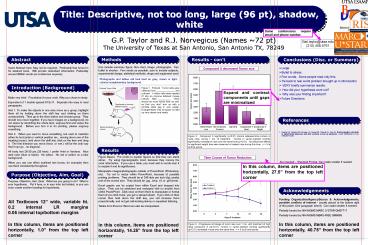
Expand and contract components until gaps are
minimalized
Make very brief. Foundation for your work. Why
you chose to study. Equivalent of 1 double spaced
81/2x11. Separate into easy to read paragraphs.
Hint 1. To make the objects in one area move as
a group, highlight them all by holding down the
shift key and clicking on them consecutively.
Then go to the draw button and choose group.
They should now move together. If you have images
on a background, do not resize by stretching the
whole item ungroup first and resize the
background. Before you turn it in for printing,
please ungroup everything. Hint 2. When you want
to move something, but want to maintain either
its horizontal or vertical position (ex., moving
down one of the heading boxes), hold down the
shift key, click on the item and drag it. The
first direction you move (horiz. or vert.) will
be the only way that it can gono diagonal. All
body text 26-30 pts (28 here). I prefer Ariel or
Verdana. Nice dark color (blue or black). No
yellow. No red or yellow on a blue
background. When you use one effect (outlined
text boxes, for example) then use them
consistently throughout.
References
- Quigley HA, Nickells RW, Kerrigan LA, Pease ME,
Thibault DJ, Zack DJ. Retinal ganglion cell death
in experimental glaucoma and after axotomy occurs
by apoptosis. Invest Ophthalmol Vis Sci
199536774-86. - ,
Figure 2. Compound X significantly (plt0.01)
shrank osteosarcoma tumors in nude mice, during 1
mo. of treatment. Tumors in carrier-injected
controls significantly increased in size over the
same time (plt0.01). No behavioral effects or
significant weight loss were observed in treated
mice during this time. n 5 at all time points.
Results
Figure Based. Put words to explain figures so
that they can stand alone. Try using
figures/graphs most, because they convey the most
information. If you use a table, you must add in
words near it to explain it and its
significance. Manipulate images/photographs
outside of PowerPoint (Photoshop, etc). Try not
to resize within PowerPoint, because of possible
printing problems. They should be at 240 dots
per inch (dpi, pixels) and of the correct size.
They should be .jpg, .bmp, .tif, or .gif
format. Excel graphs can be copied from within
Excel and dropped into place. They can be
stretched and reshaped with no trouble from
within PowerPoint. Click once on them them to
manipulate or format them (if you click twice,
you get a spread sheet). If you click on their
corner then hold down the shift key, you will
increase them proportionally, and not get
odd-looking skinny or squashed lettering. Tables
from Excel or Word can also be manipulated.
Time Course of Tumor Reduction
Are required - Standard Format. Can make smaller
if needed
In this column, items are positioned
horizontally, 27.5 from the top left corner
Purpose (Objective, Aim, Goal)
Purpose, Objective, Aim, Goal What are you
going to do? What is your hypothesis. Put it
here, or in your Intro but bolded, or you can
even create another heading for hypothesis.
Acknowledgements
Funding Organization/Agency/Source
Acknowledgements, possible conflicts of interest
- usually placed at the bottom right of the
poster. One paragraph (short). Can make smaller
if needed. Partially funded by NIH/NIGMS MARC
USTAR GM07717 Partially funded by NIH/NIGMS
MBRS-RISE GM6065
All Textboxes 12 wide, variable ht. 0.2
internal LR margins0.05 internal top/bottom
margins
In this column, items are positioned
horizontally, 1.0 from the top left corner
In this column, items are positioned
horizontally, 40.75 from the top left corner
In this column, items are positioned
horizontally, 14.25 from the top left corner
Figure 3. Progressive shrinkage of tumor size
over 1 mo. with treatment of high dose compound X
((plt0.01). Tumors in carrier-injected controls
significantly (plt0.01) increased in size over the
same time. n 5 at all time points.
Recommended

