

Scholars of the Future Increasing Diversity in Information Technology PowerPoint PPT Presentation
Title: Scholars of the Future Increasing Diversity in Information Technology
1
Scholars of the FutureIncreasing Diversity in
Information Technology
2
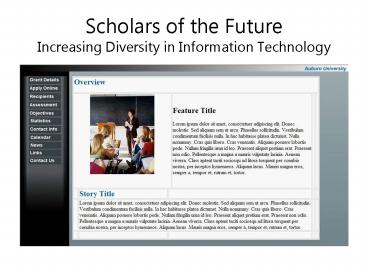
The Scholars of the Future website will basically
be broken down into two major sections the Menu
(left) and the Web Frame (right). The menu
consists of 11 expandable buttons with unfolding
links that control the content displayed on the
Web Frame. By selecting a menu topic and one of
its expandable links, the information displayed
in the Web Frame will change accordingly.
Menu
Menu
Web Frame
3
The first expandable menu topic is Grant Details.
When this button is selected, the menu expands
down displaying 4 selectable topic titles
Overview, Whos Eligible, Option 3 (defined
later), and Option 4 (defined later). Selecting
Overview will change the frame content to
information describing the overview details of
the Grant itself. The Whos Eligible link will
display details surrounding eligibility rules
pertaining to the Scholars of the Future Grant
(e.g. Who can apply for the grant and why.).
4
The second expandable menu topic is Apply Online.
When this button is selected, the menu expands
down displaying 5 selectable topic titles How to
Apply, Application, Processing (subject to
change), FAQs, and Option 5 (defined later). The
How to Apply link provides rules and instructions
pertaining to the Application process as well
as the application itself. The Application link
changes the Web Frame to the Application Form
itself. Processing describes the application
process time and selection guidelines. The FAQs
link provides questions and answers to some of
the more common questions/problems. Option 5
(defined later), is a placeholder for a topic to
be defined later.
5
The third expandable menu topic is titled
Recipients. When the Recipients button is
selected, the menu expands down revealing 5
links titled Recipient List, Requirements,
CourseWork, Faculty Advisors, and Login Page. The
Recipient List is a rundown of current Scholars
of the Future. The Requirements button outlines
the specifics that students will be responsible
for if selected. CourseWork describes the class
names, class types and descriptions provided to
selected Scholars. The Faculty Advisors button
outlines the relationship between the student and
the advisor as well as provide an ongoing list
of current Scholar Faculty Advisors. The Login
Page button is subject to change.
6
The Fourth menu topic is titled Assessment.
Expanding the button will yield the links
Formulation and Evaluation. These two links
describe the development and design reviews,
research, and studies that went into the
formulation and evaluation processes surrounding
the Scholars of the Future program.
7
When the Objectives button is expanded, 6 links
are unfolded Opportunities, Objectives,
Selection, CourseWork, Research, and
Conclusion/Project. The Opportunities section
outlines the academic and research experiences
afforded to all selected scholars. The
objectives link details the attitude and goals
expected to come as a result of the program.
Selection delves into the specifics surrounding
the selection process (who is selected? How? By
Whom?). The CourseWork link outlines the class
names, class types, and projected time frames of
which future scholars could expect if selected to
the program. The Research link describes the
advisors and scholars that will be assigned to
the students as well as outline the various
research projects and monthly seminars assigned
over the semester. The Conclusion/Projection
link highlights some of the key components of the
program and projects the role that this program
will play in the future.
8
The Statistics portion of the menu shows
statistical data linking the small number of
graduate degrees to the large number of
underrepresented students. Each expanding link
relates its specific degree to those attained by
underrepresented students and those attained by
represented students. Comparisons and
conclusions can be drawn from the statistics
gathered for each specific field or graduate
degree.
9
The Contact Info button expands two helpful
links. The Professors button provides all of the
contact descriptions and information needed for
each of the professors involved in the program.
It will provide their role in the program as well
as various methods of which they can be
contacted. The second button Website Info
(subject to change), currently displays contact
methods to get in touch with the webmasters.
10
The Links button will expand a number of titled
URLs beneficial to those browsers or applicants
interested in this grant. Links may comprise
shortcuts to other sites offering similar grants
or sites dealing with underrepresented students.
11
These three buttons are different than the others
on the menu bar in that they do not expand.
These buttons are simply one click links that
alter the Web Frame accordingly. The Calendar
button will reveal monthly calendar outlining
upcoming news and events. The News button will
expand upon the News Bar on the Overview page
and provide browsers with detailed information of
specific news and events. The final button,
Contact Us (subject to change), provides contact
information for all people in our project group
responsible for the sites creation.
Recommended

